
See what’s new in Blanc
What’s new · Blanc 1.40 · October 20
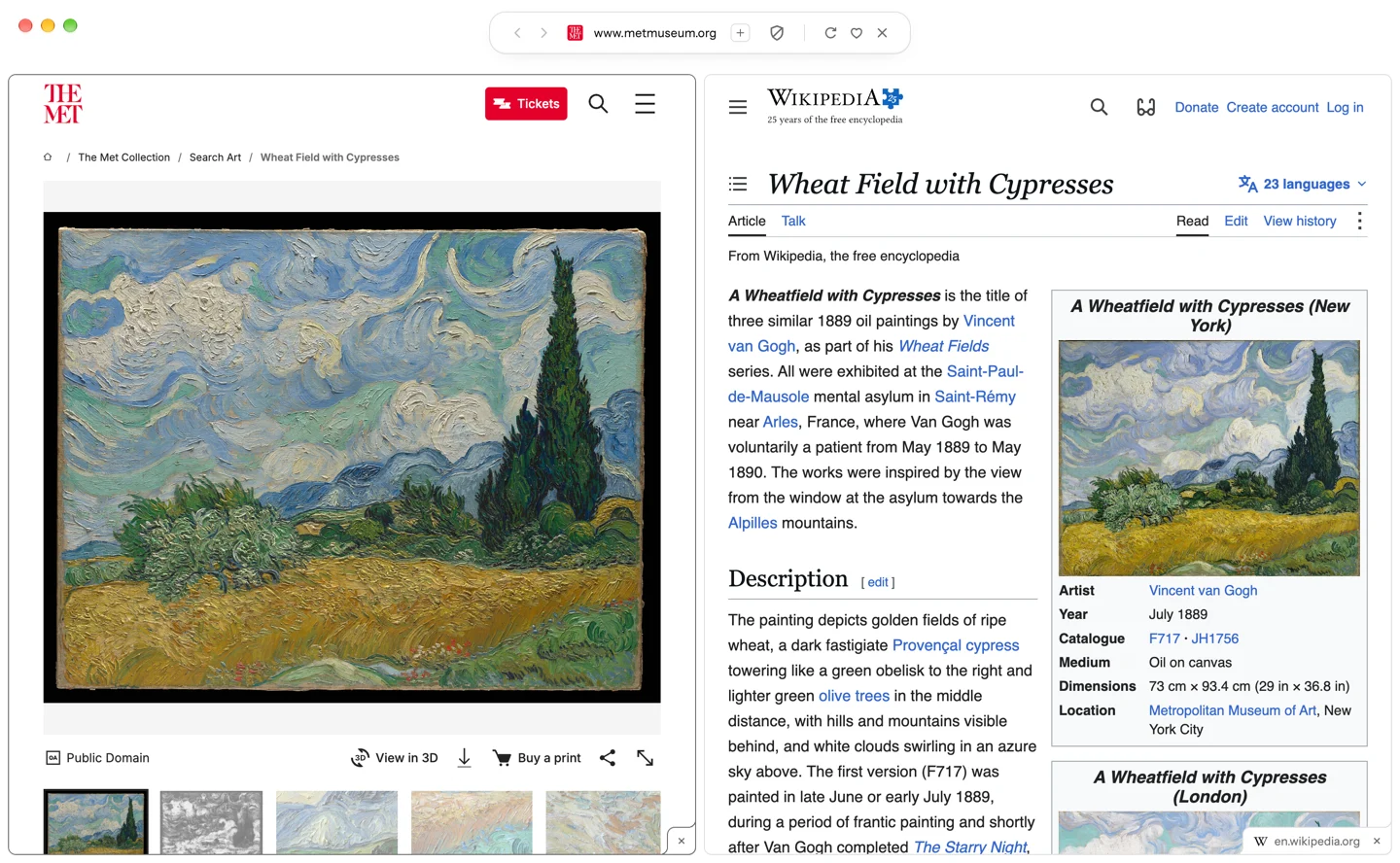
Two tabs side by side
Show two tabs in one window and drag the divider to share the space between them. The pane you click is the current tab, and the split stays together after a relaunch.
- Right-click a tab and choose Split with.
- Pick the tab to show beside it.
To end it, choose Remove from Split or Close Split in a tab’s menu.
What’s new · Blanc 1.40 · October 20
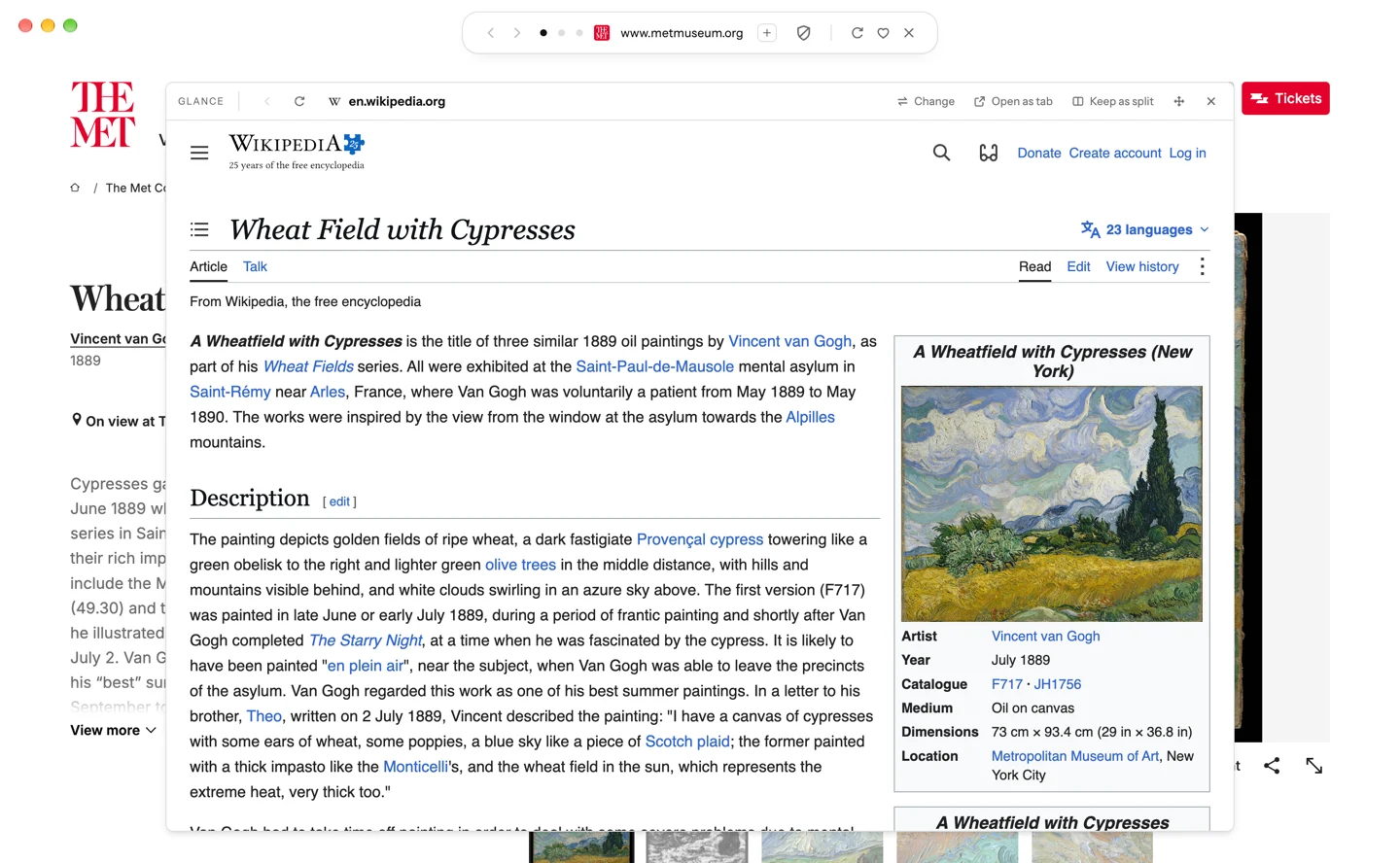
Glance floats over your page
The tab you pick opens as a card over the page you’re on, and the page behind stays usable. Move it, resize it, and Blanc remembers where you left it.
- Right-click a tab and choose Open in Glance.
- Drag the card’s header to move it, or an edge to resize it.
Open as tab makes the Glance page the current tab, and Keep as split puts the two side by side.
What’s new · Blanc 1.40 · October 20
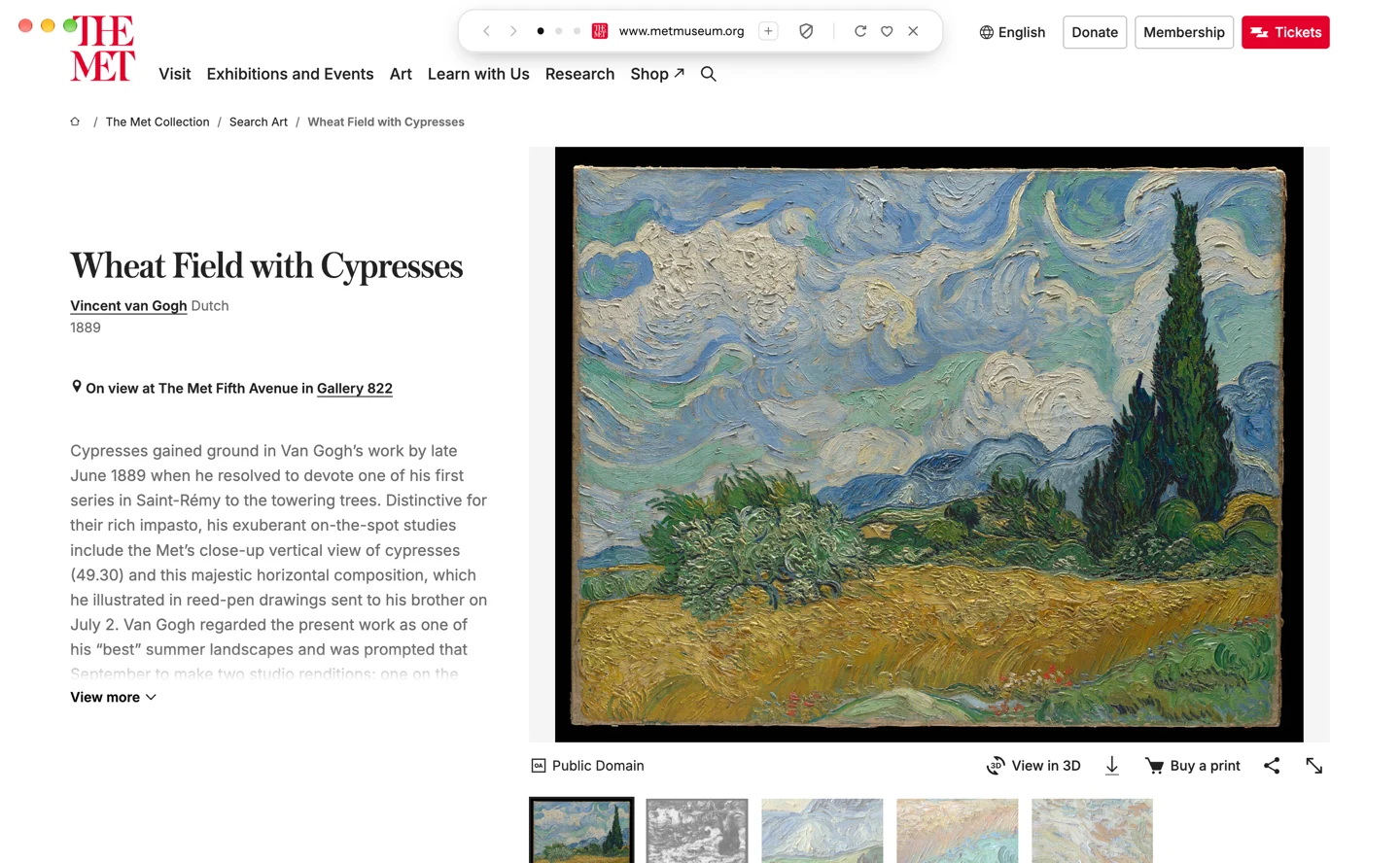
The Island floats over the page
With Auto-hide the Island on, the Island now floats over the page when it comes back, so the page never jumps down to make room.
- Open Settings → General.
- Turn on Auto-hide the Island.
Prefer the page to move? Under When the Island comes back, choose Push the page down.
Recently · Blanc 1.39 · October 19
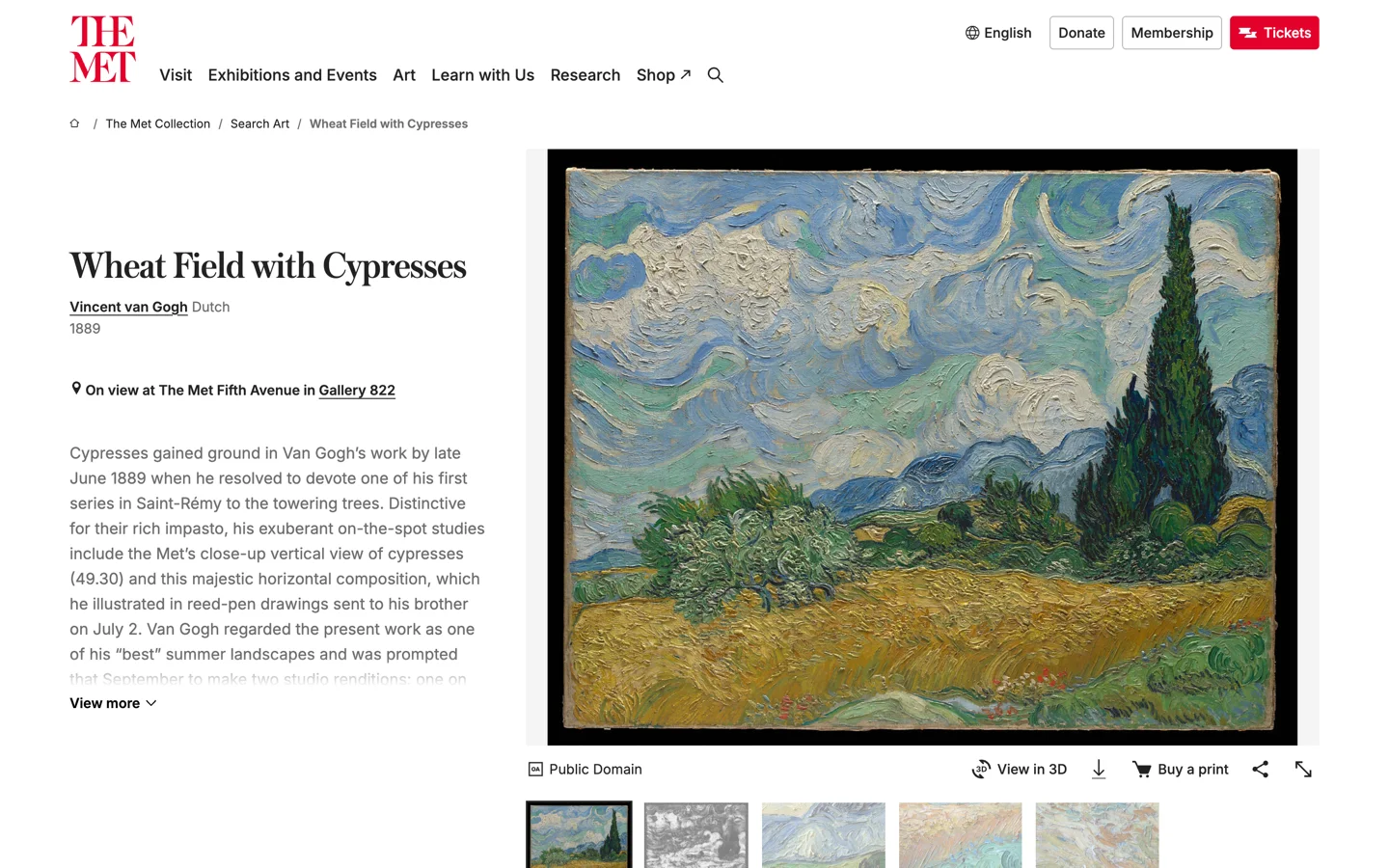
Give the page the whole window
Turn on Auto-hide the Island, and the page fills the window to its top edge. The Island slides back when you point at the top edge, rest the pointer near the top, or press ⌘L.
- Open Settings → General.
- Turn on Auto-hide the Island, or press ⌘⌥B (Ctrl+Alt+B on Windows and Linux).
It’s off by default.
Recently · Blanc 1.39 · October 19
Let idle tabs tidy themselves away
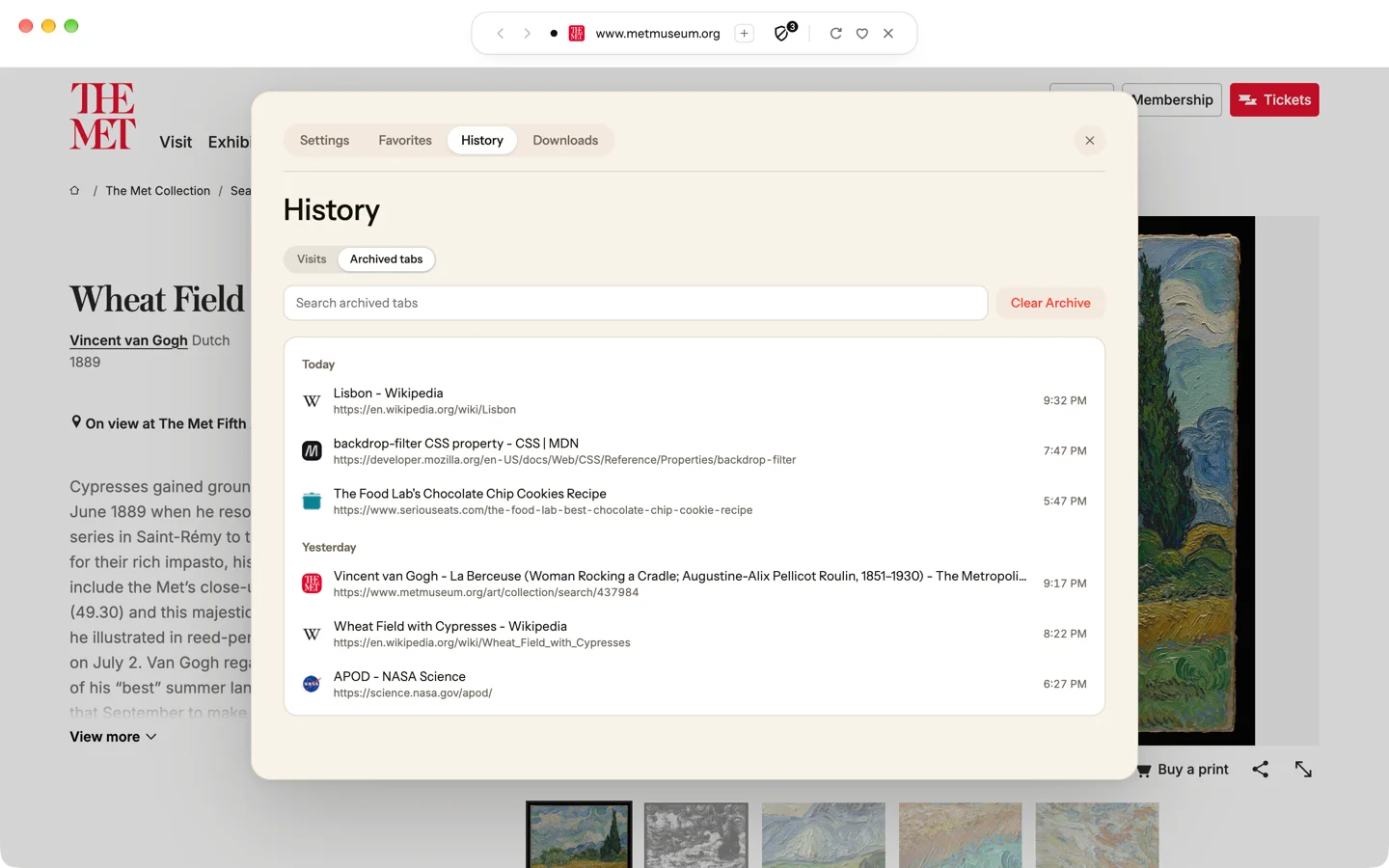
Loose tabs you haven’t looked at in a while close themselves into an Archive. Find them again in the ⌘L panel or in History, and bring one back with a click.
- Open Settings → General.
- Under Archive inactive tabs, choose 12 hours, 1 day, 7 days or 30 days.
Pinned, grouped and private tabs are never archived, and nor is a tab playing media or holding something you typed. The Archive stays on this device for 30 days.
Recently · Blanc 1.39 · October 19
A gold icon for your Dock
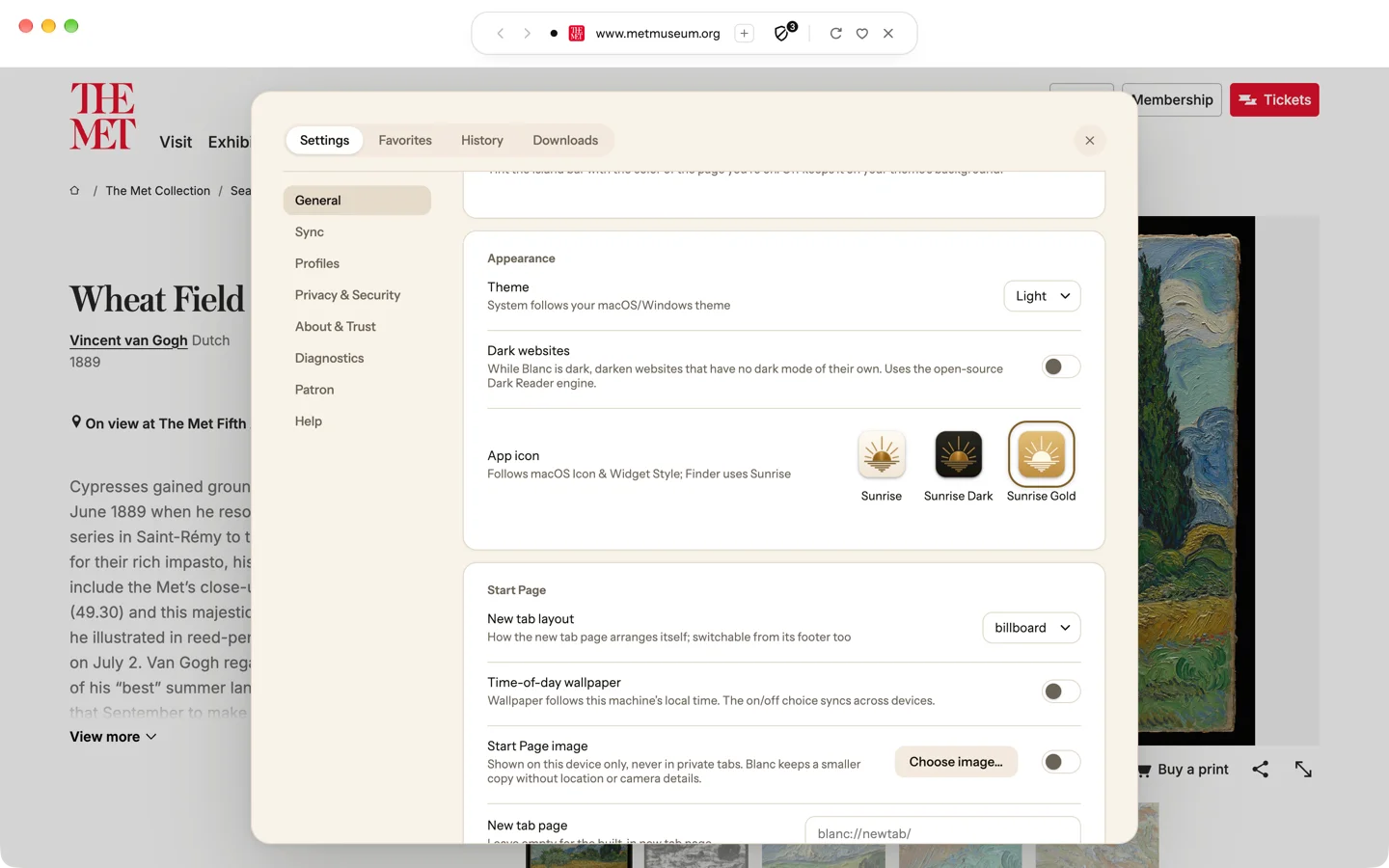
Sunrise Gold puts the Sunrise in glass over gold: soft in Light, polished in Dark.
- Open Settings → General.
- Under App icon, choose Sunrise Gold.
Sunrise Gold is for macOS.
Recently · Blanc 1.38 · October 18
Make the Start Page your own
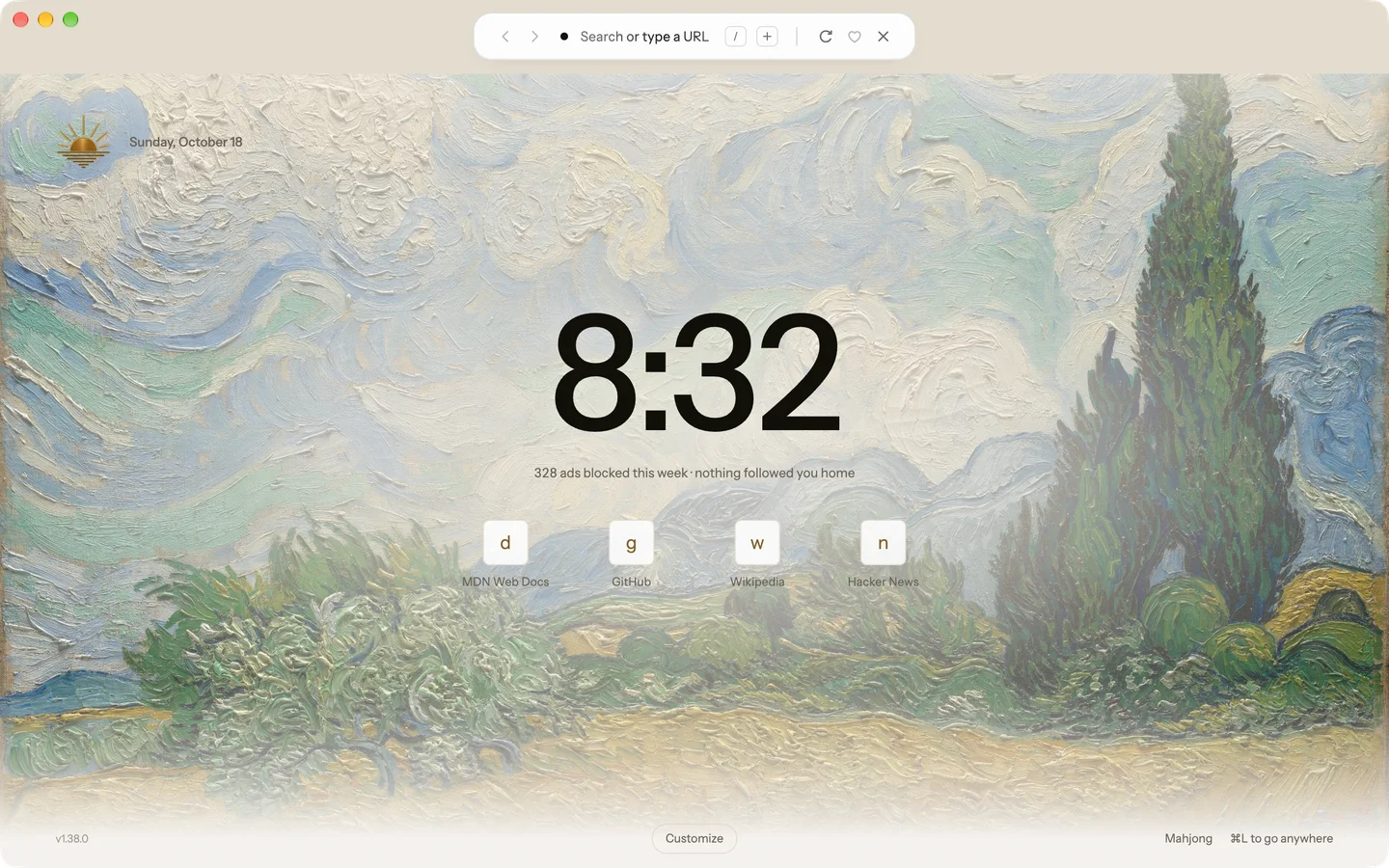
Put a photo of your own behind the Start Page. Wash and Fade keep the page easy to read over it.
- Open Customize at the bottom of the Start Page.
- Under Wallpaper, choose Your image.
- Pick a JPEG or PNG, up to 25 MB.
Blanc keeps a resized copy on this device only, without location, camera or time details. It isn't synced, and private tabs never show it.
Recently · Blanc 1.38 · October 18
Paint the Start Page in a color
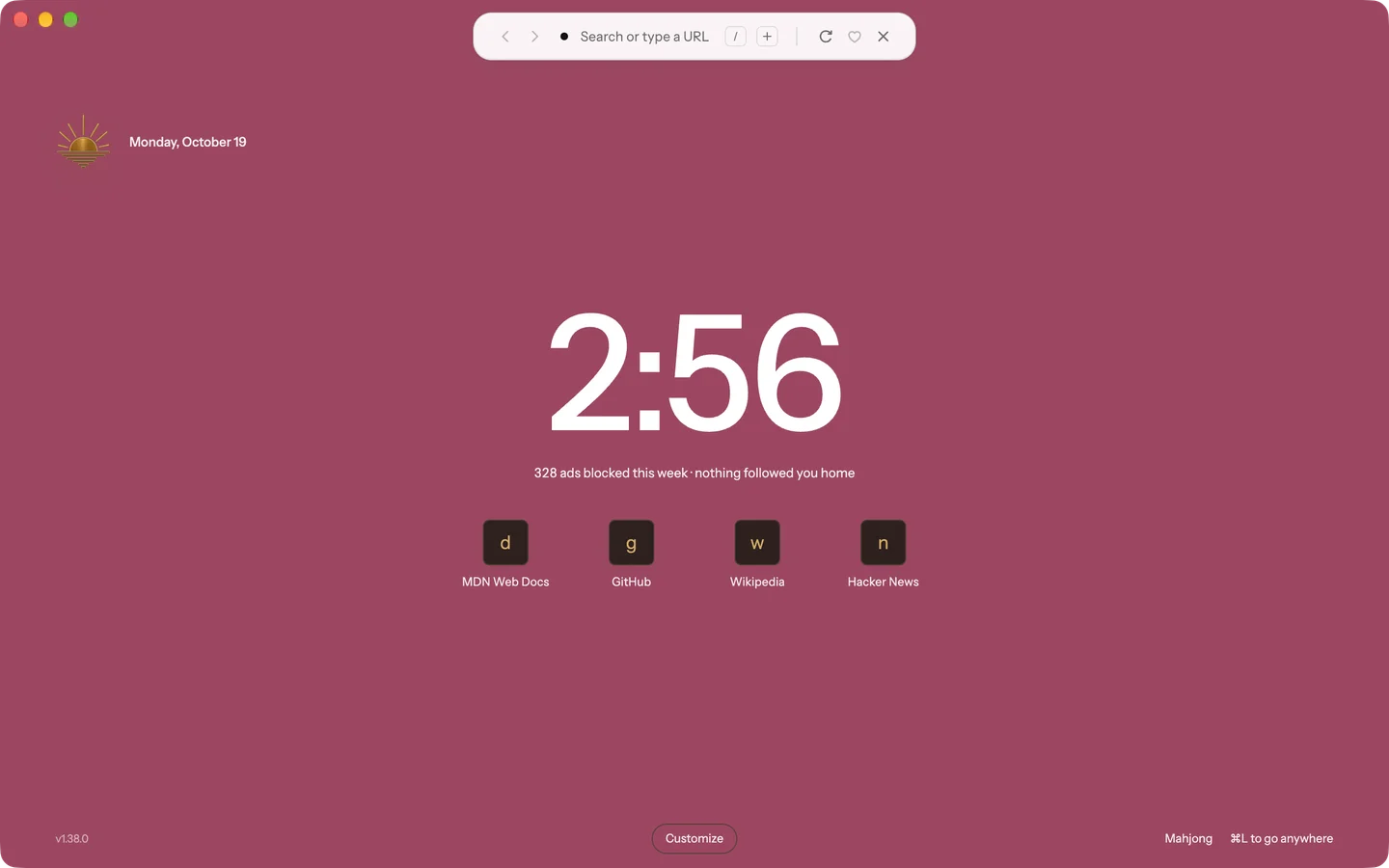
Choose one of the eight colors Spaces use, as a Soft, Solid or Gradient fill. Turn on Match each space’s color, and a window that belongs to a space shows that space’s color instead.
- Open Customize at the bottom of the Start Page.
- Under Wallpaper, choose Color.
- Pick a color and a fill.
The color settings sync with Profile Sync. An image chosen on this device still comes first here, and private tabs never show the color.
Want every detail? Read the full changelog on blanc.day