
See what’s new in Blanc
What’s new · Blanc 1.37 · October 18
Give each tab group a color
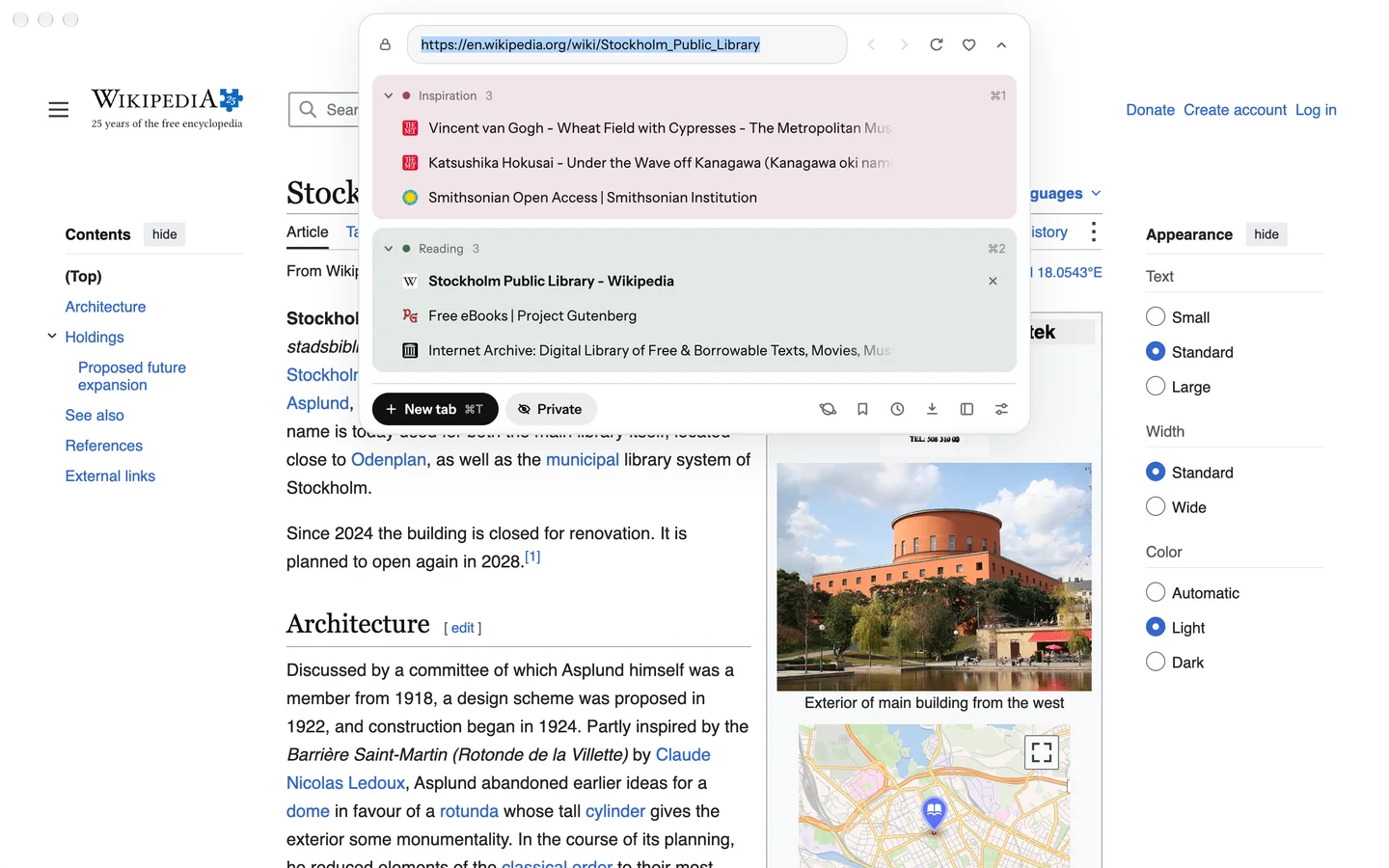
A group can take one of the eight colors Spaces use. Its block in the ⌘L panel takes a light tint, its name gets a dot, and its tabs’ dots in the Island take the color.
- Right-click a group’s header in the ⌘L panel, or press its ⋮ button.
- Pick a color.
Groups have no color unless you choose one.
What’s new · Blanc 1.37 · October 18
Open the Island just by pointing
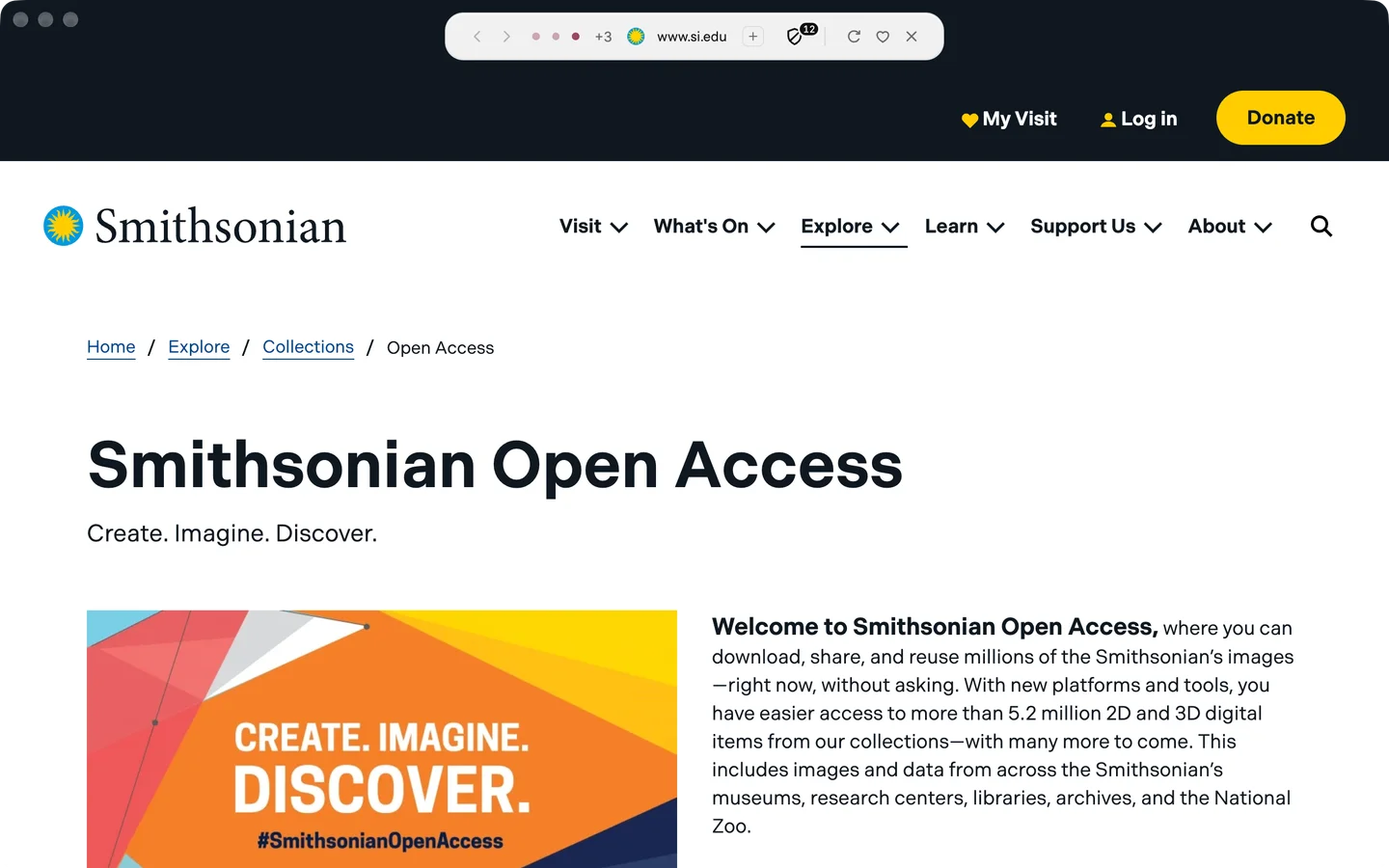
Rest the pointer on the Island’s address for a moment, and the panel opens.
- Open Settings → General.
- Turn on Open the Island on hover.
It’s off by default.
Recently · Blanc 1.36 · October 17
Search any site from the address bar
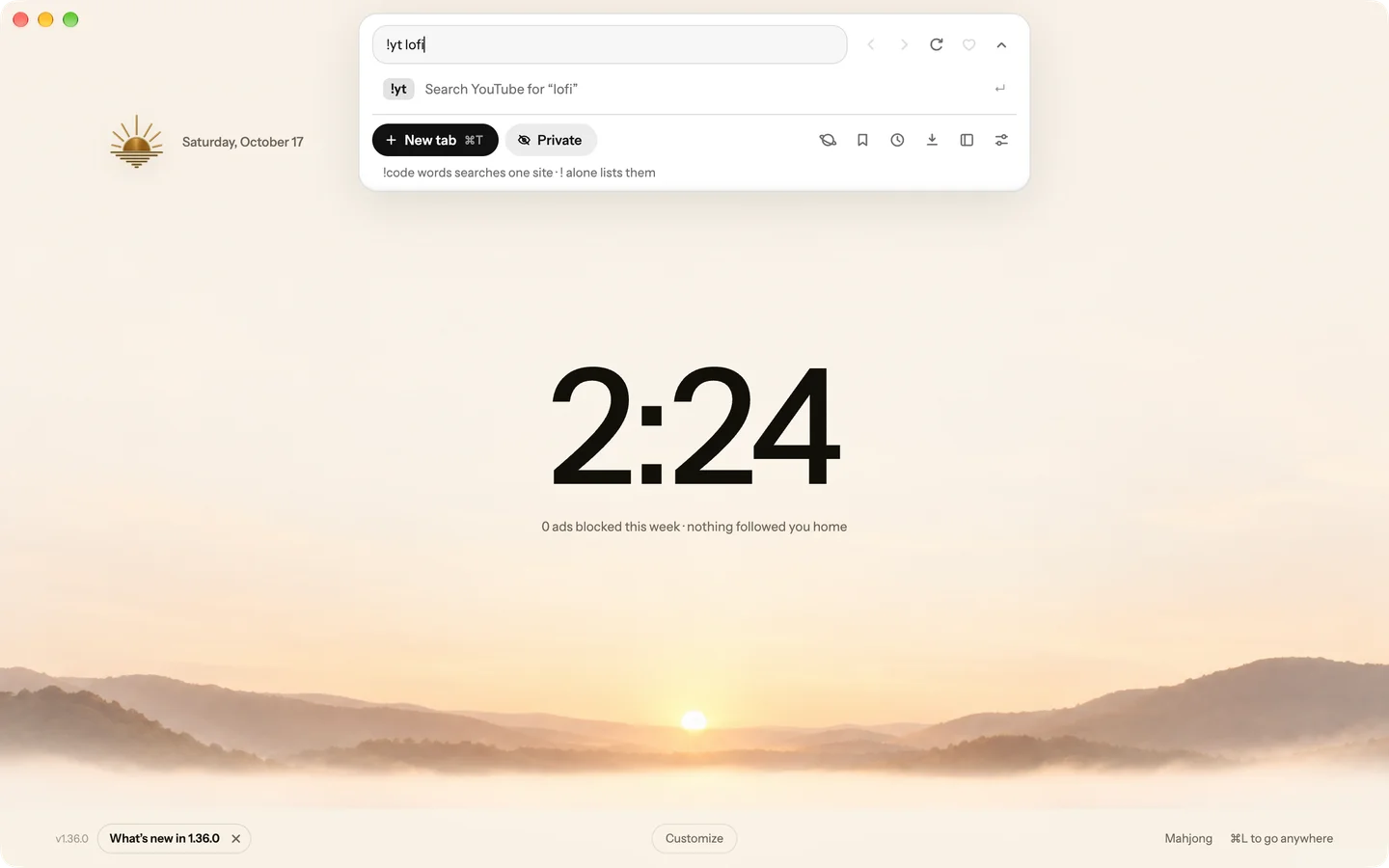
Type an exclamation mark and a site’s code before your search, like !yt lofi, and Blanc opens that site’s results directly, whichever search engine you use.
- Press ⌘L, or Ctrl+L on Windows and Linux.
- Type !yt lofi and press Return.
Type ! on its own to see popular bangs. The list ships inside Blanc, so Blanc never looks bangs up online.
Recently · Blanc 1.36 · October 17
Bring back what you closed
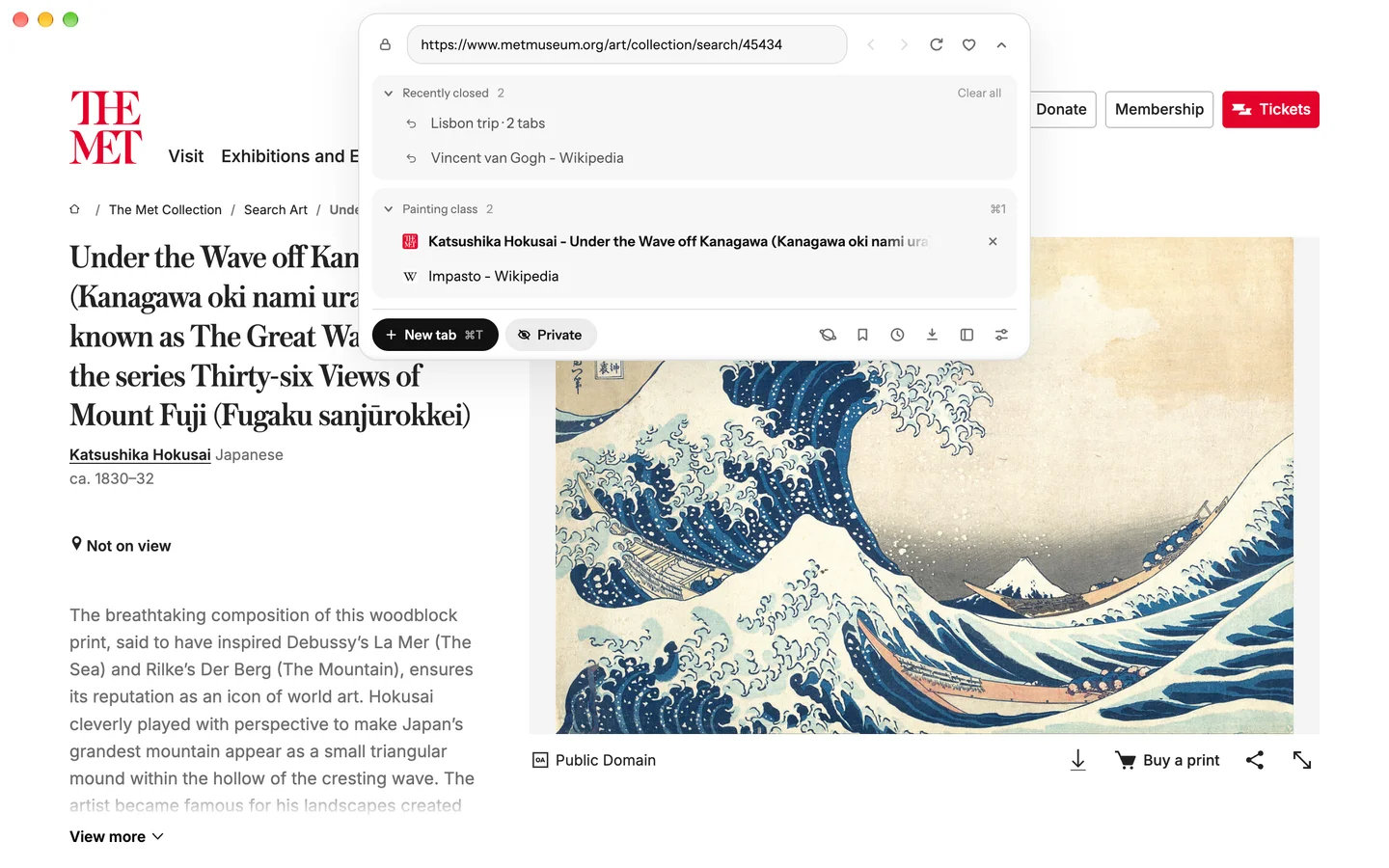
Recently closed sits as a band in the ⌘L panel. Unfold it to see every closed tab Blanc keeps, up to 25, newest first.
- Press ⌘L, or Ctrl+L on Windows and Linux.
- Unfold Recently closed and pick what to bring back.
Want every detail? Read the full changelog on blanc.day