
See what’s new in Blanc
What’s new · Blanc 1.49 · November 13
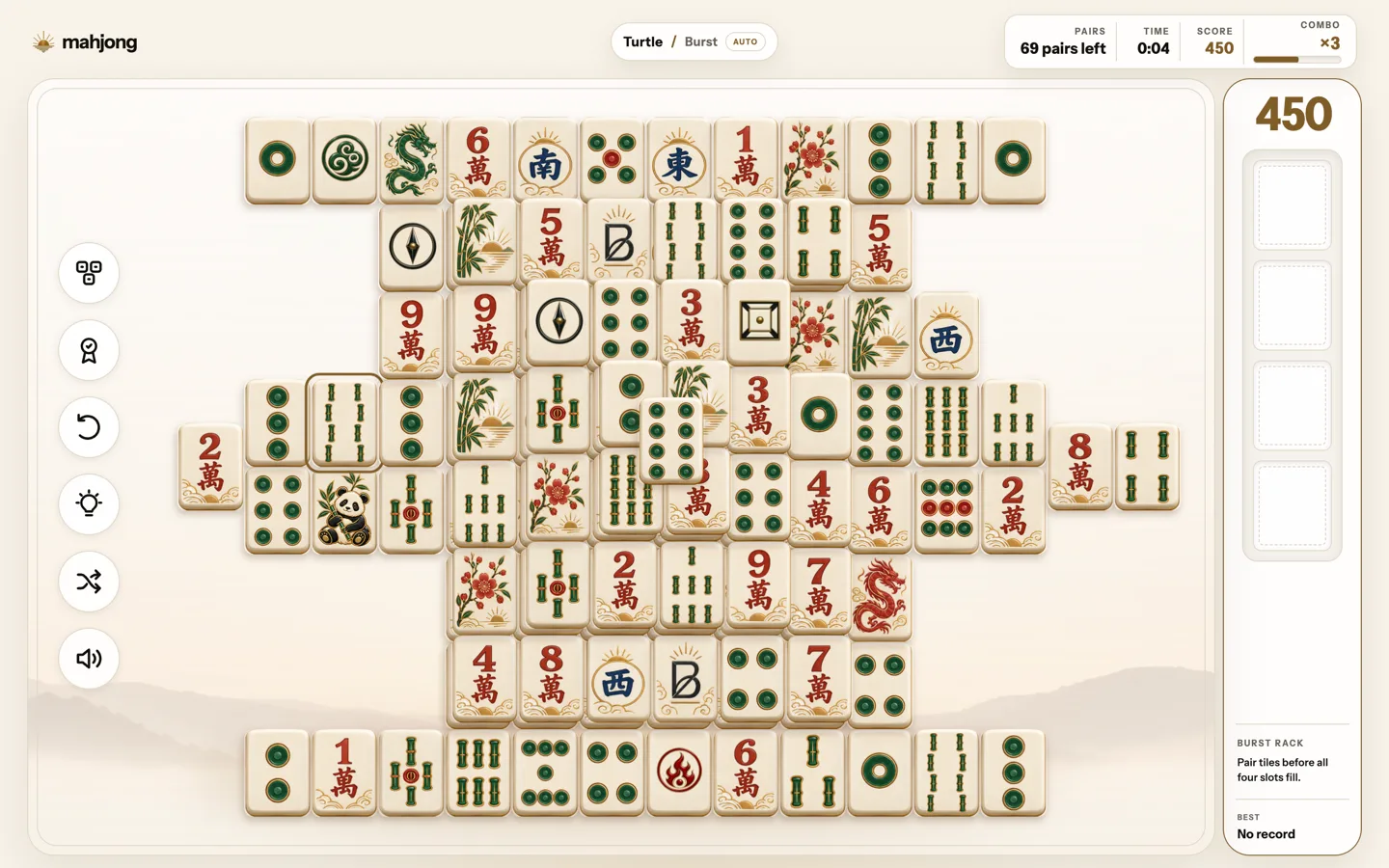
Mahjong, redesigned
Mahjong now has Blanc’s Sunrise look in light and dark mode, with a simpler setup, a smaller results card and new tile artwork in three sets: Porcelain, Carved and Inlay. Clear three boards in a row and your next deal moves to the next set. On a wide window, the Burst rack sits beside the board.
- On the Start Page, choose Mahjong at the bottom.
A board keeps the set it was dealt in. Starting a new game partway through a board you’ve played on starts the count again.
What’s new · Blanc 1.49 · November 13
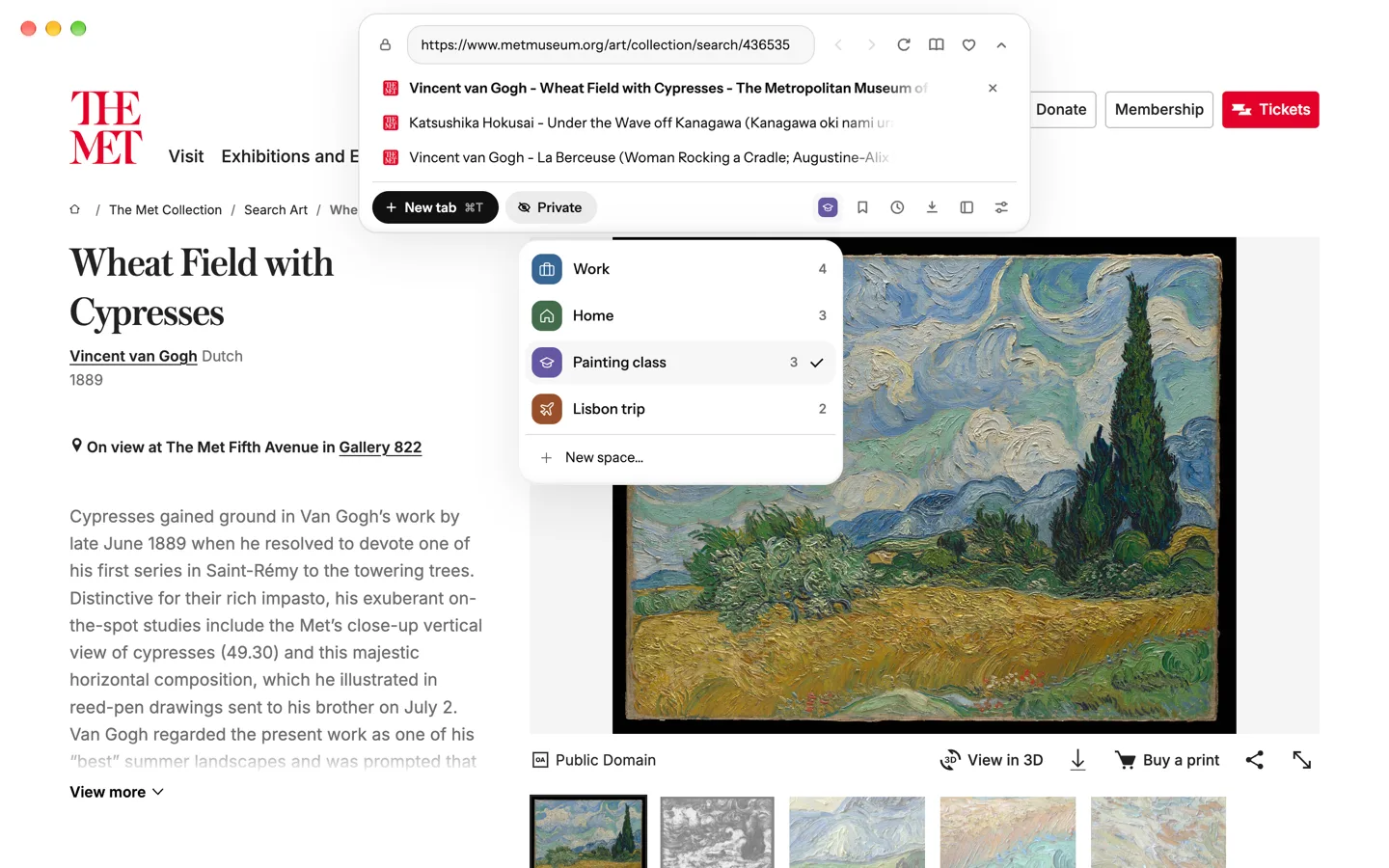
Your Space, one click from ⌘L
The closed Island no longer shows your Space’s mark, so it stays shorter. Open the panel, and the Spaces button at its bottom shows the Space you’re in, with its symbol and color. Click it to switch Spaces or start a new one.
- Press ⌘L, or Ctrl+L on Windows and Linux.
- Click the Spaces button at the bottom right of the panel.
With vertical tabs, your Space’s mark stays at the top of the side list.
Recently · Blanc 1.46 · November 2
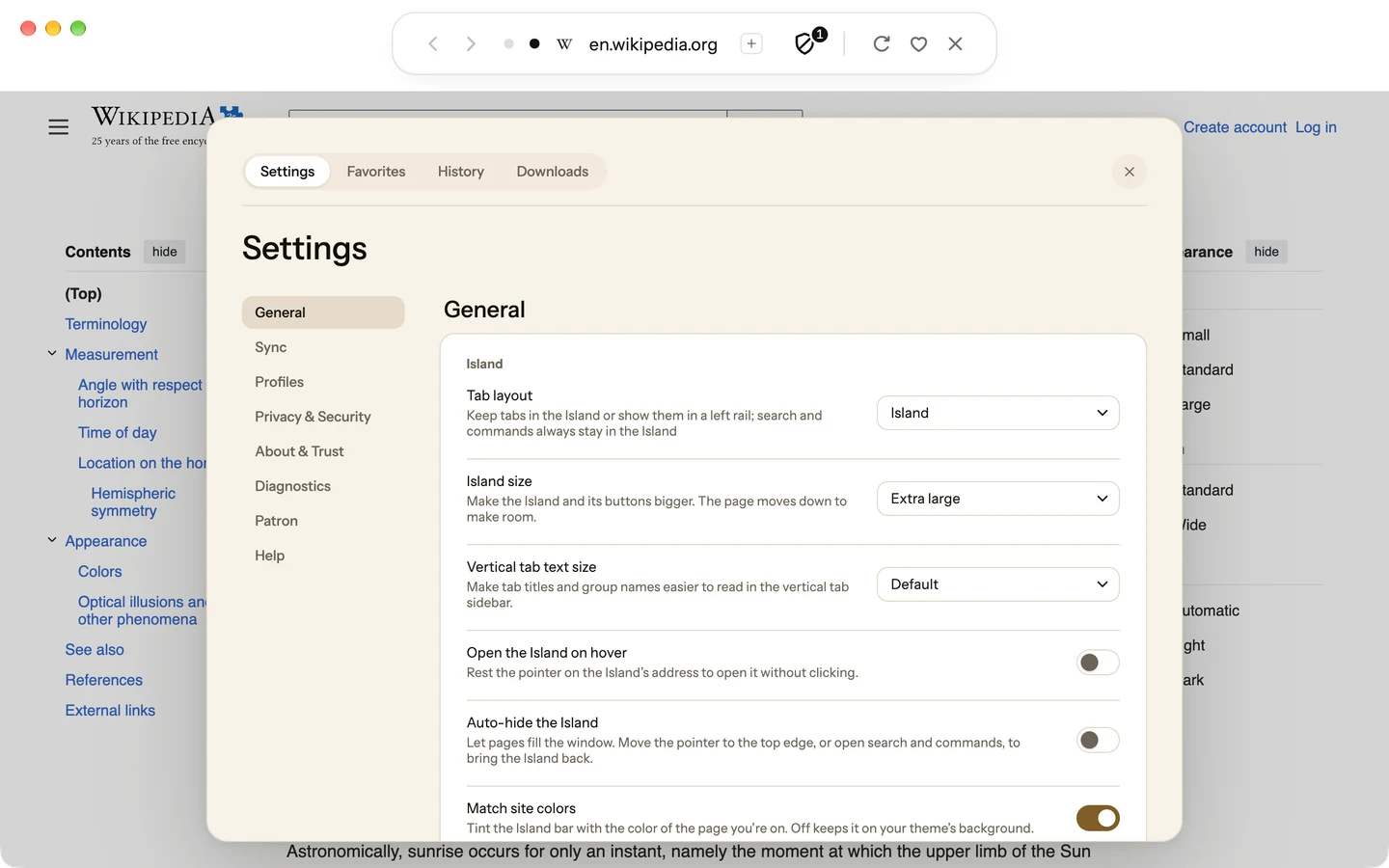
Make the Island bigger
Choose Large or Extra large, and the Island grows with everything in it: its buttons, its tab dots and the site address. The page moves down to make room.
- Open Settings, then General.
- Under Island size, choose Default, Large or Extra large.
It’s set on each device.
Recently · Blanc 1.46 · November 2
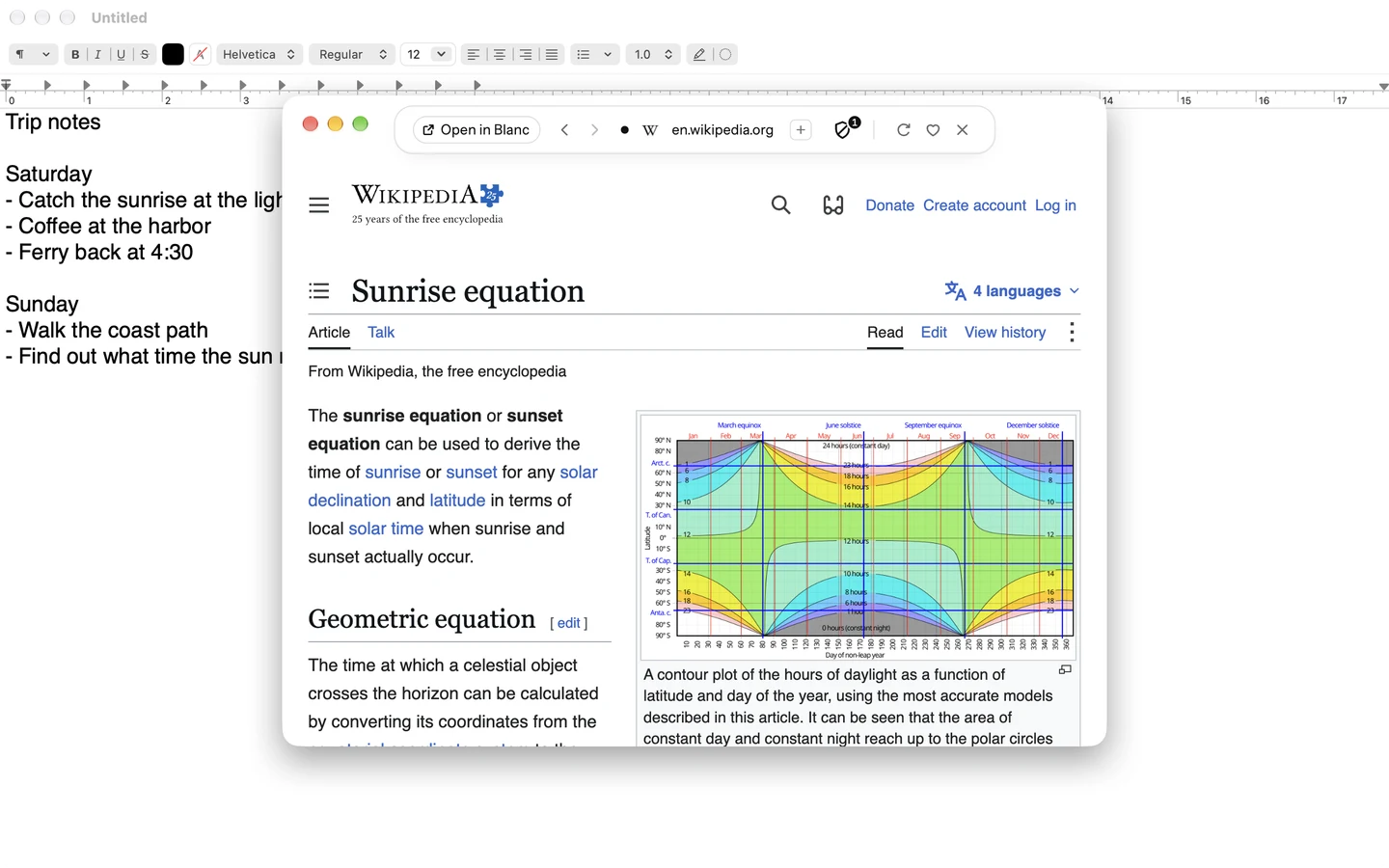
A small Blanc window over any app
Look something up or open a link without leaving what you’re doing. A mini window opens over the app you’re in, isn’t saved, and closes by itself after an hour unused. Choose Open in Blanc to keep it.
- Choose File → New Mini Window, or New Mini Window in Blanc’s Dock menu on a Mac.
- To open one from any app, choose a shortcut in Settings → General → Mini window shortcut.
The shortcut is off by default. Links from other apps never open in a mini window, and one with a page in use or unsaved changes stays open.
Recently · Blanc 1.46 · November 2
Ctrl+Tab takes you back to your last tab
Hold Ctrl and press Tab to step back through the tabs you used last, then let go to switch. A quick Ctrl+Tab flips between your two latest tabs, and Esc stays where you are.
To go by position instead, open Settings → General → Switch tabs with Ctrl+Tab and choose In the order of the tab list.
Recently · Blanc 1.45 · October 28
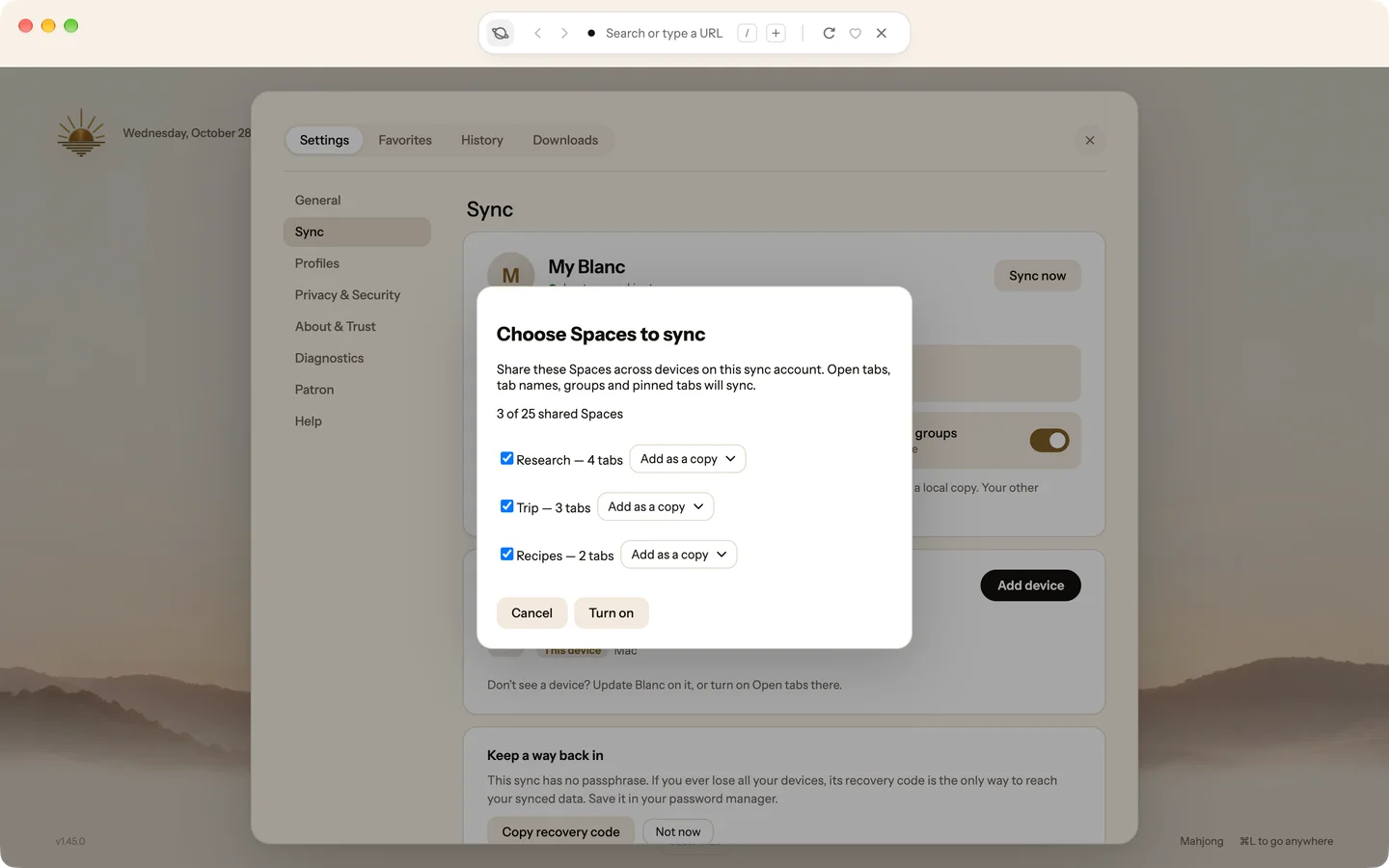
Keep your Spaces the same on every computer
Choose Spaces to share, and their open tabs, tab names, groups and pinned tabs match on each computer that has it turned on. A change on one appears on the others, end-to-end encrypted like the rest of Sync.
- With Sync on, open Settings, then Sync.
- Under What syncs, turn on Spaces and groups and choose your Spaces. Do the same on each computer.
It’s off by default and belongs to the Personal profile. Private tabs, internal pages and local files never sync.
Recently · Blanc 1.45 · October 28
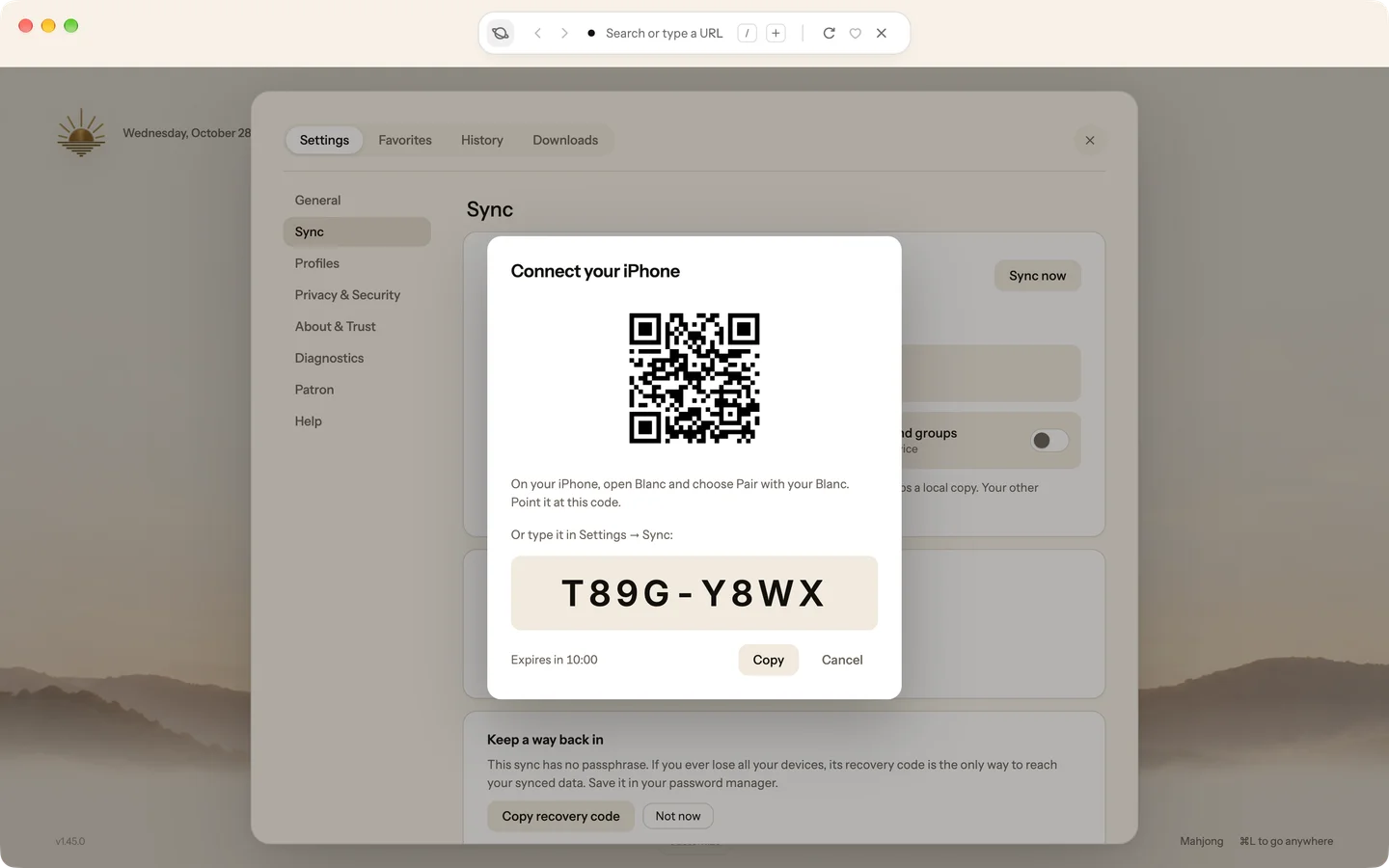
Pair Blanc for iPhone by scanning a code
Blanc for iPhone is in a public beta on TestFlight. Your computer shows a code, your iPhone scans it, and it joins your Sync, so your Favorites and your other devices’ tabs come with you.
- In Settings → Sync, choose Connect your iPhone. It’s also in the Start Page’s Finish setup list.
- On your iPhone, open Blanc, choose Pair with your Blanc and point it at the code.
If Sync isn’t on yet, Blanc asks before turning it on. When Sync is on, Add device shows the same code.
Recently · Blanc 1.45 · October 28
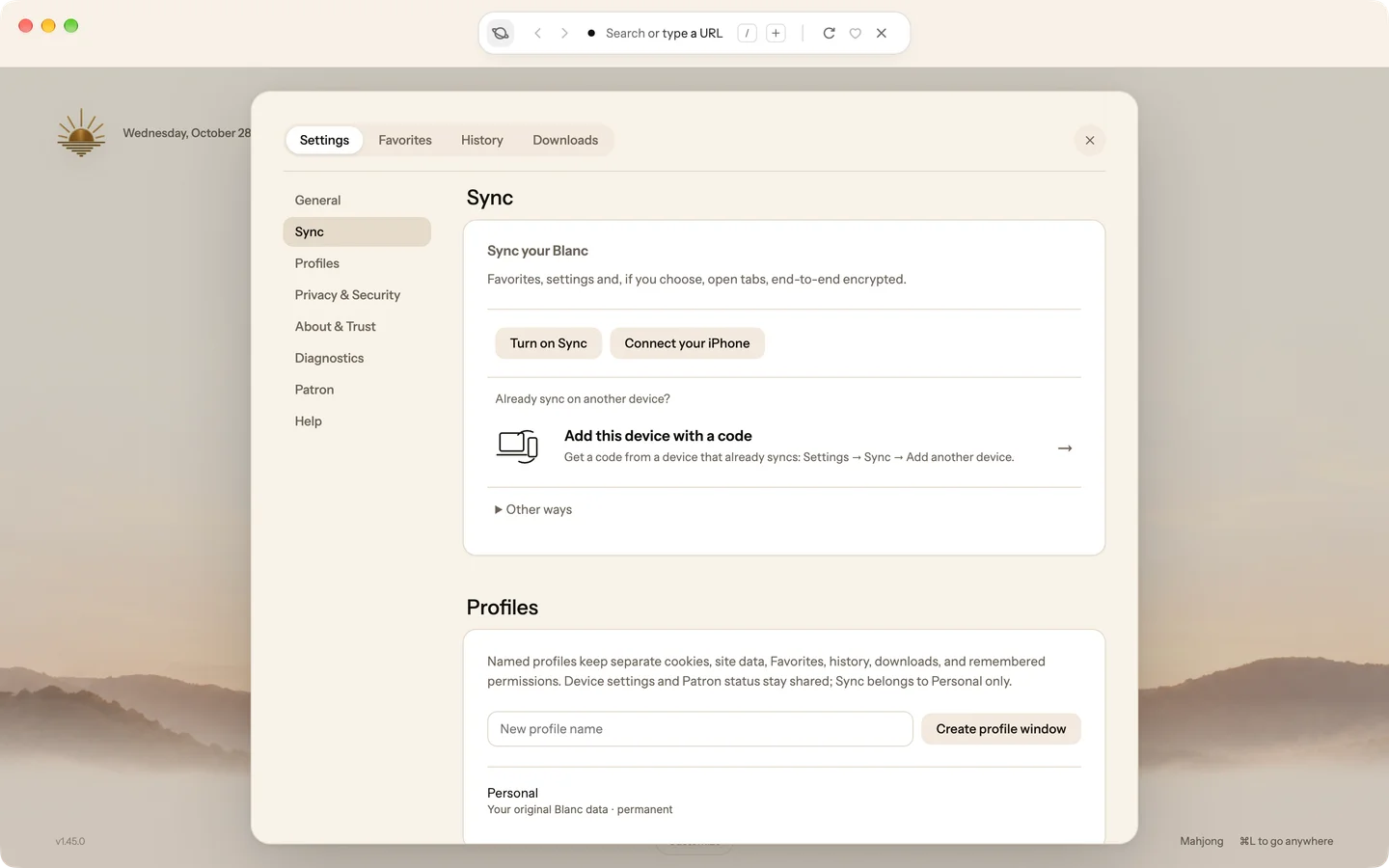
Turn on Sync with nothing to remember
Turn on Sync starts syncing this computer straight away, with no name or passphrase to make up. Add your other devices with a short code, and the sheet tells you when one has joined.
- Open Settings → Sync and choose Turn on Sync.
- To add a device, choose Add device and enter the code on the other device with Add this device with a code.
Keep the recovery code Blanc offers in your password manager: without a passphrase, it’s your only way back if you lose all your devices.
Want every detail? Read the full changelog on blanc.day