
See what’s new in Blanc
What’s new · Blanc 1.51 · November 18
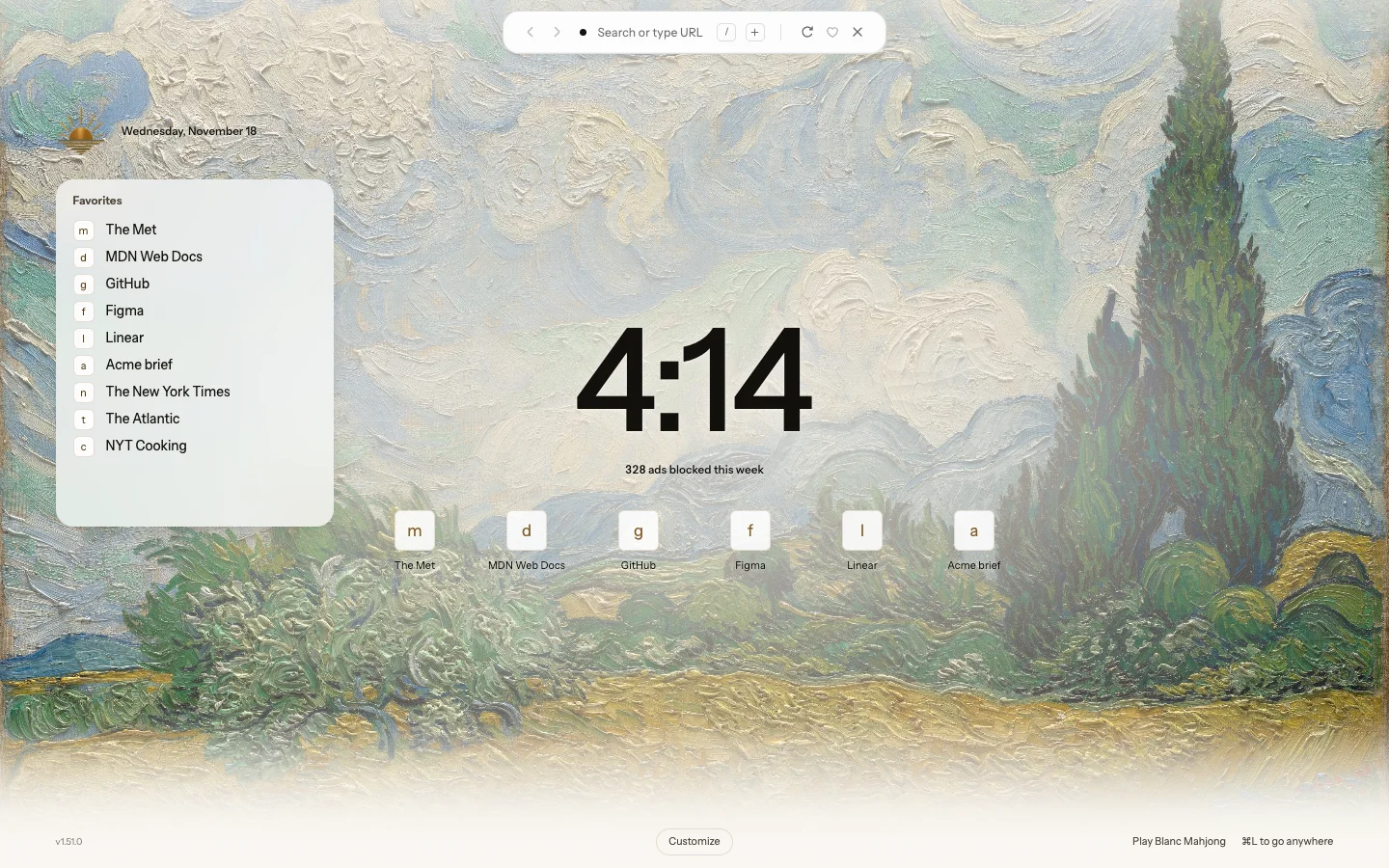
Widgets on one Start Page
The Start Page is now one page: the clock, with the week’s blocked count under it. Favorites and your other devices’ tabs are cards you turn on in Customize, drag to either side and resize. Over your own image the cards turn to frosted glass, and the image runs up behind the Island.
- Open a new tab with ⌘T, or Ctrl+T on Windows and Linux.
- Click Customize and turn on Favorites or On your other devices.
If you used Ledger, Shelf or Tally, your Start Page keeps what it showed.
What’s new · Blanc 1.51 · November 18
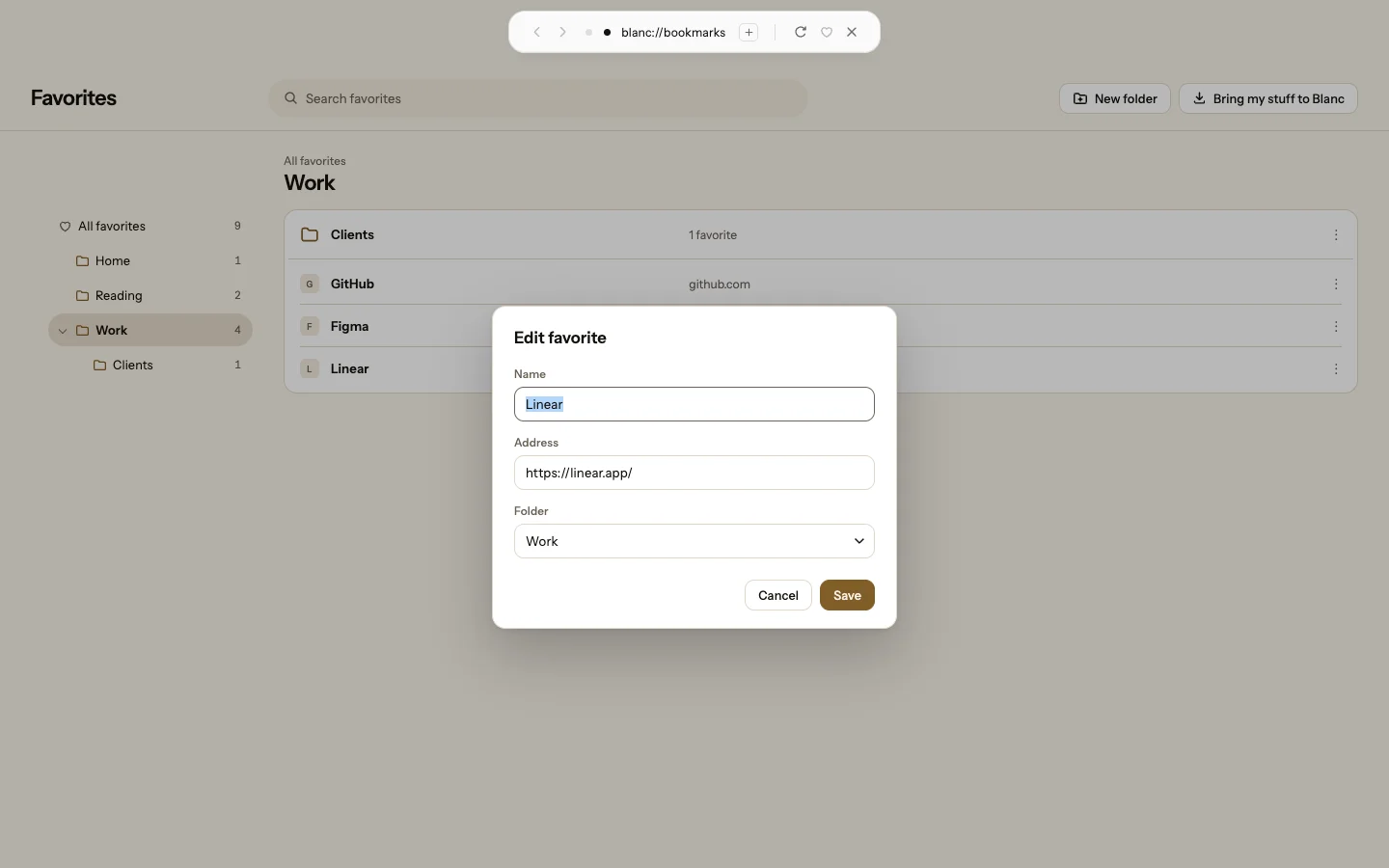
Favorites gets a page of its own
Favorites now opens as a full page in a tab, with your folders on the left. Every favorite has a ⋮ menu to open, pin, move or remove it, and Edit… changes its name, address and folder. A pinned favorite stays pinned.
- Press ⌥⌘B, or Ctrl+Shift+O on Windows and Linux.
- Click ⋮ beside a favorite, then Edit…
Recently · Blanc 1.50 · November 17
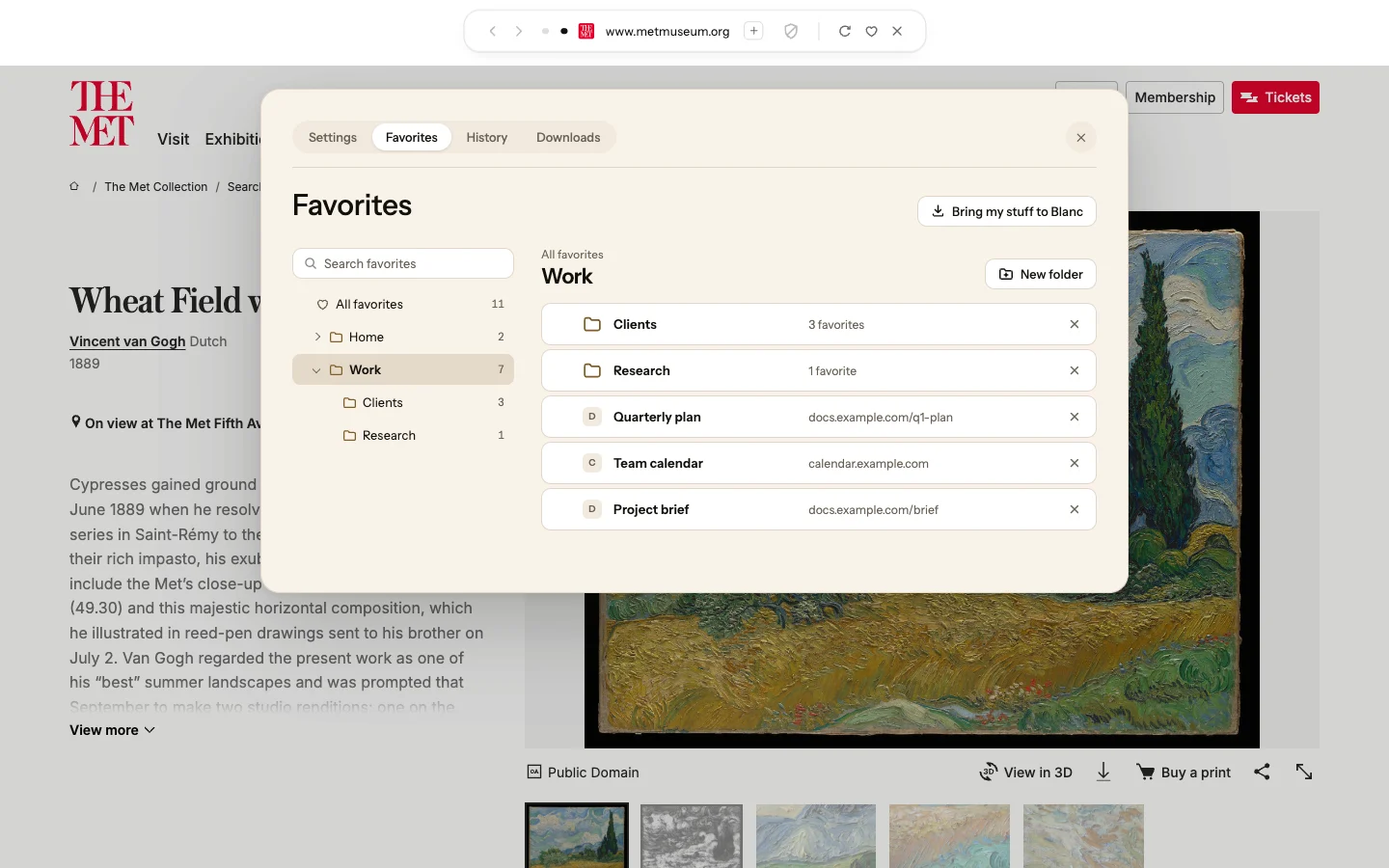
Folders inside folders, in your order
Favorites now opens a manager with your folders in a sidebar. Make folders inside folders, drag favorites and folders where you want them, select several at once, and search every folder. Deleting a folder keeps what was in it. One Bring my stuff to Blanc button imports favorites and open tabs from another browser, keeping its folders and their order.
- Press ⌥⌘B, or Ctrl+Shift+O on Windows and Linux.
- Click New folder, or drag a favorite onto a folder in the sidebar.
Recently · Blanc 1.50 · November 17
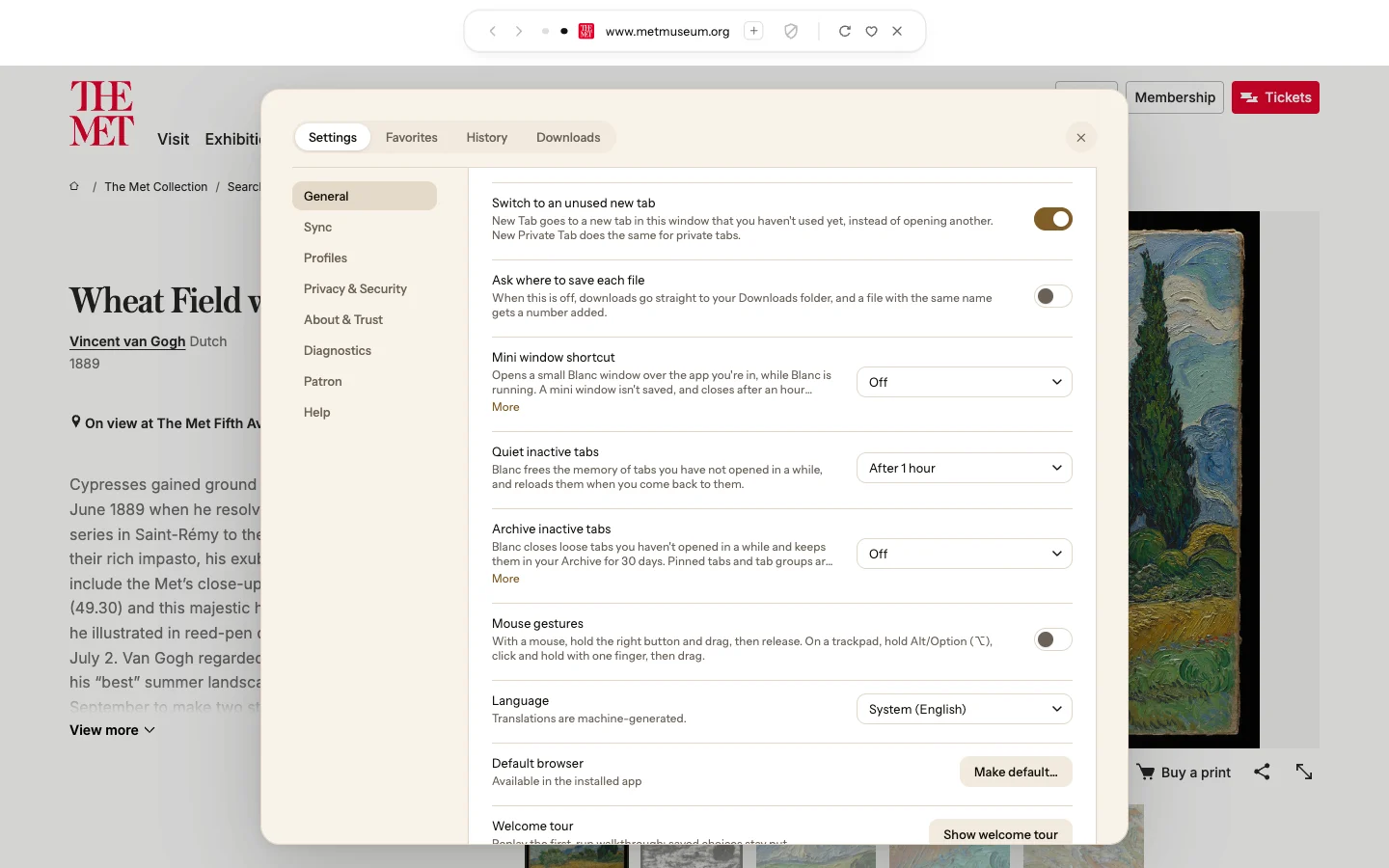
Downloads go straight to your Downloads folder
Blanc no longer asks where to save each file you download. It goes to your Downloads folder, and a file with the same name as one already there gets a number added. A download a page starts without your click, and Save Image As…, still ask.
- To be asked every time, open Settings → General.
- Turn on Ask where to save each file.
Recently · Blanc 1.49 · November 13
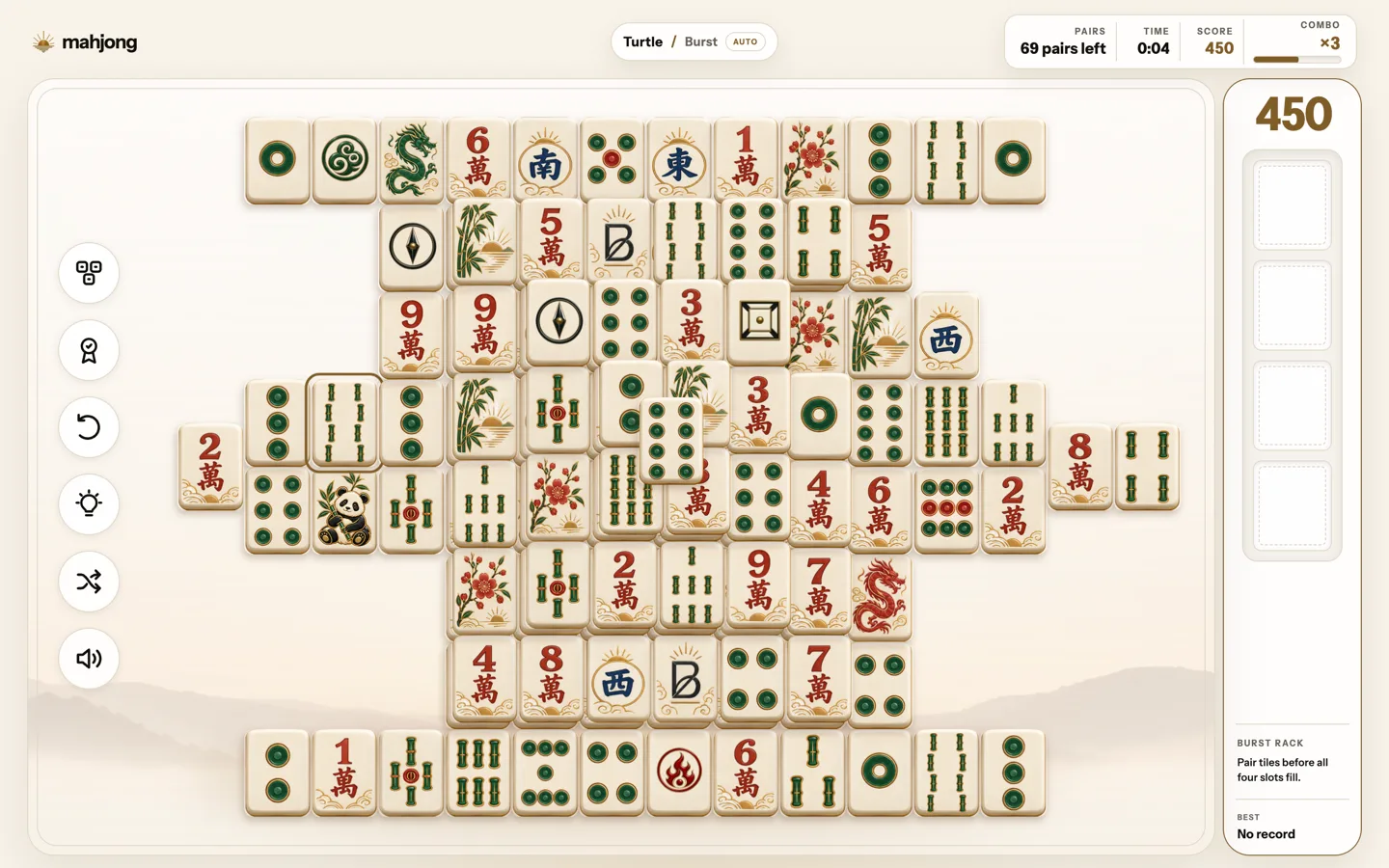
Mahjong, redesigned
Mahjong now has Blanc’s Sunrise look in light and dark mode, with a simpler setup, a smaller results card and new tile artwork in three sets: Porcelain, Carved and Inlay. Clear three boards in a row and your next deal moves to the next set. On a wide window, the Burst rack sits beside the board.
- On the Start Page, choose Mahjong at the bottom.
A board keeps the set it was dealt in. Starting a new game partway through a board you’ve played on starts the count again.
Recently · Blanc 1.49 · November 13
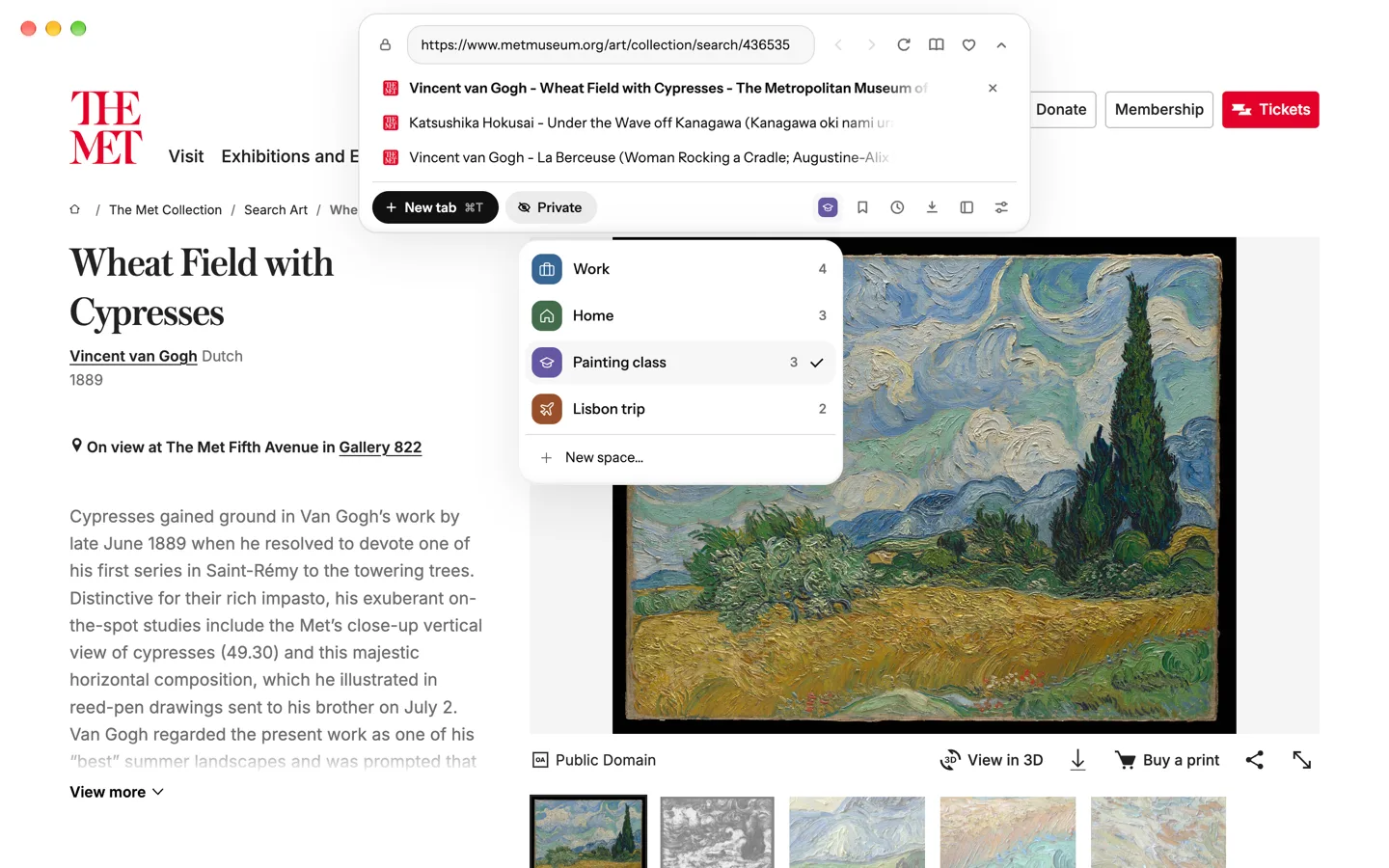
Your Space, one click from ⌘L
The closed Island no longer shows your Space’s mark, so it stays shorter. Open the panel, and the Spaces button at its bottom shows the Space you’re in, with its symbol and color. Click it to switch Spaces or start a new one.
- Press ⌘L, or Ctrl+L on Windows and Linux.
- Click the Spaces button at the bottom right of the panel.
With vertical tabs, your Space’s mark stays at the top of the side list.
Want every detail? Read the full changelog on blanc.day