
See what’s new in Blanc
What’s new · Blanc 1.52 · November 21
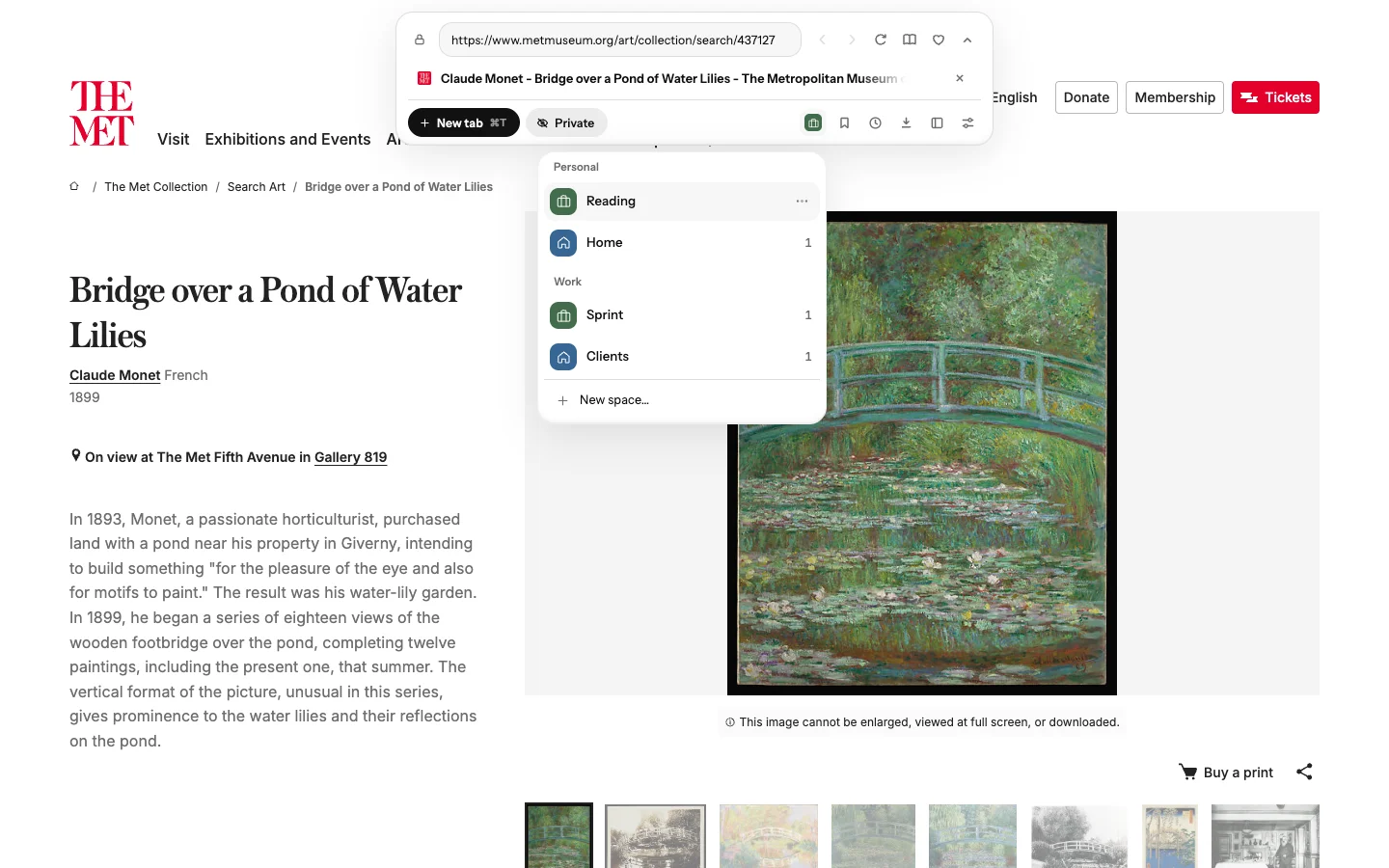
Spaces across profiles
With more than one profile, the Spaces menu lists every profile’s Spaces under its name. Choose one to open it in a window of its profile, with that profile’s own sign-ins, or make a new Space in another profile.
- Press ⌘L, or Ctrl+L on Windows and Linux.
- Click the Spaces button at the bottom of the panel.
With one profile, the menu looks as it did before.
What’s new · Blanc 1.52 · November 21
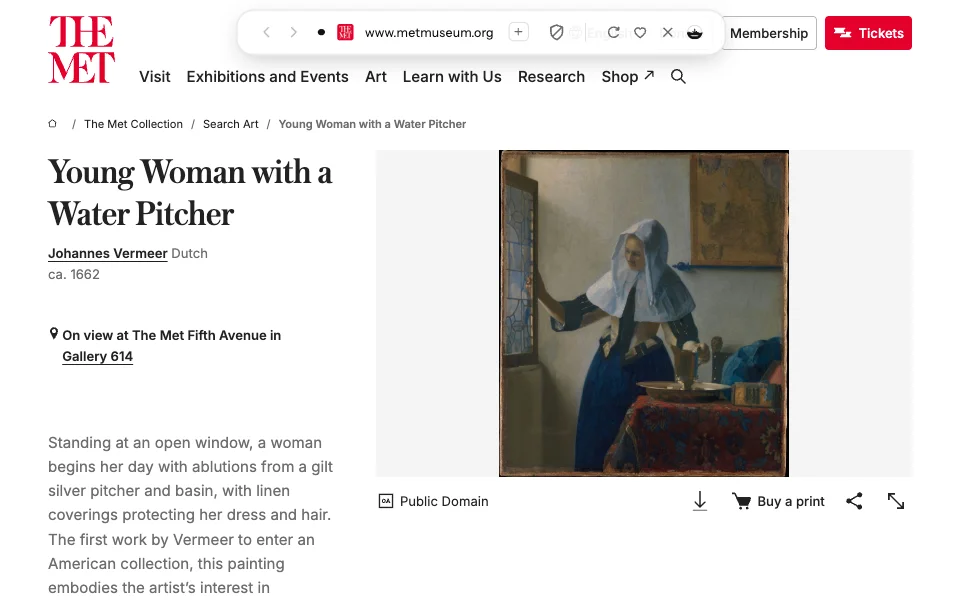
See your download start, even with Auto-hide on
Blanc saves a clicked download to your Downloads folder without asking. With Auto-hide on, the Island now shows for a few seconds when a download starts, its downloads button filling as the file arrives, so a download link no longer seems to do nothing.
- Turn on Auto-hide the Island in Settings → General.
- Click a download link on any page.
Recently · Blanc 1.51 · November 18
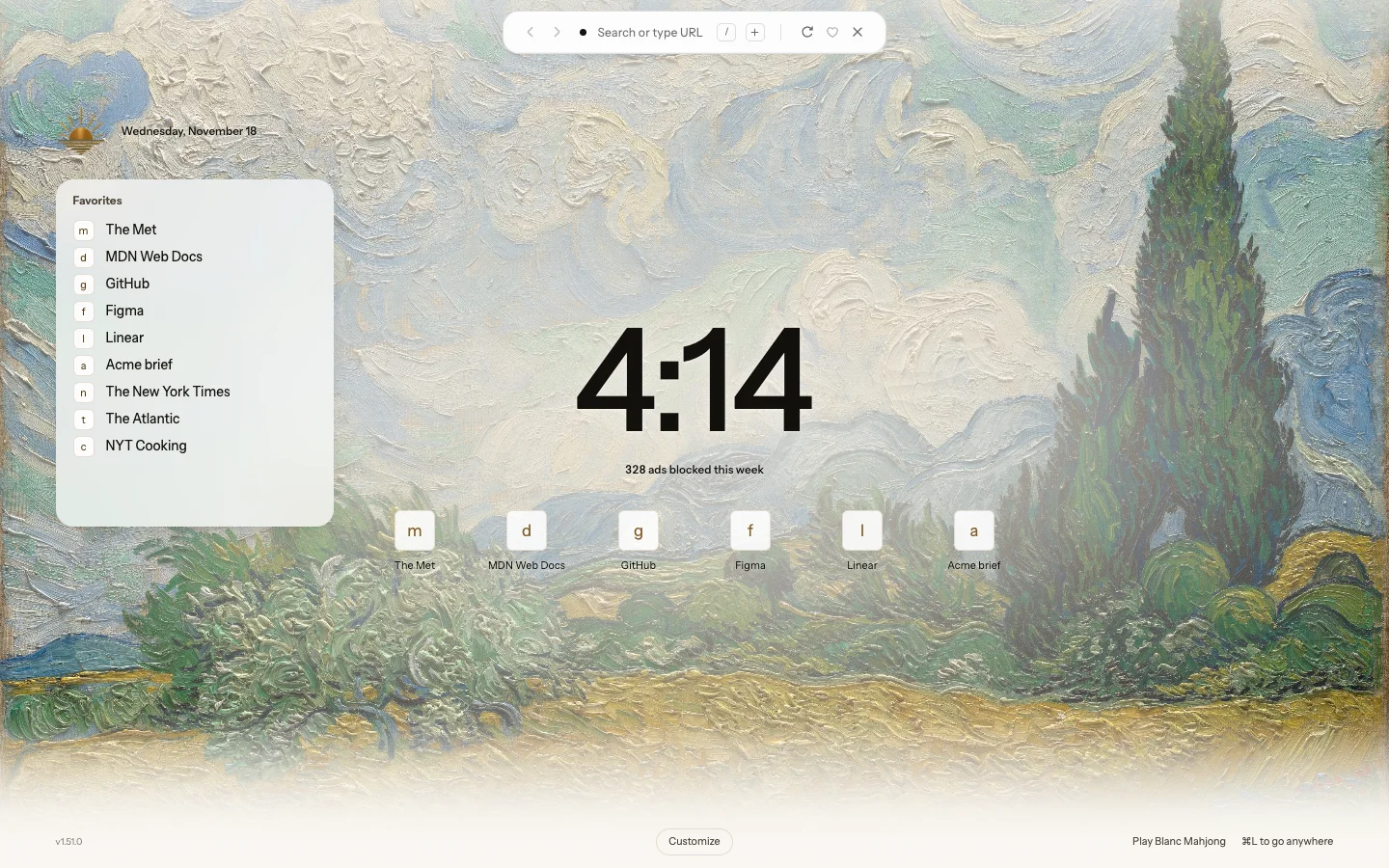
Widgets on one Start Page
The Start Page is now one page: the clock, with the week’s blocked count under it. Favorites and your other devices’ tabs are cards you turn on in Customize, drag to either side and resize. Over your own image the cards turn to frosted glass, and the image runs up behind the Island.
- Open a new tab with ⌘T, or Ctrl+T on Windows and Linux.
- Click Customize and turn on Favorites or On your other devices.
If you used Ledger, Shelf or Tally, your Start Page keeps what it showed.
Recently · Blanc 1.51 · November 18
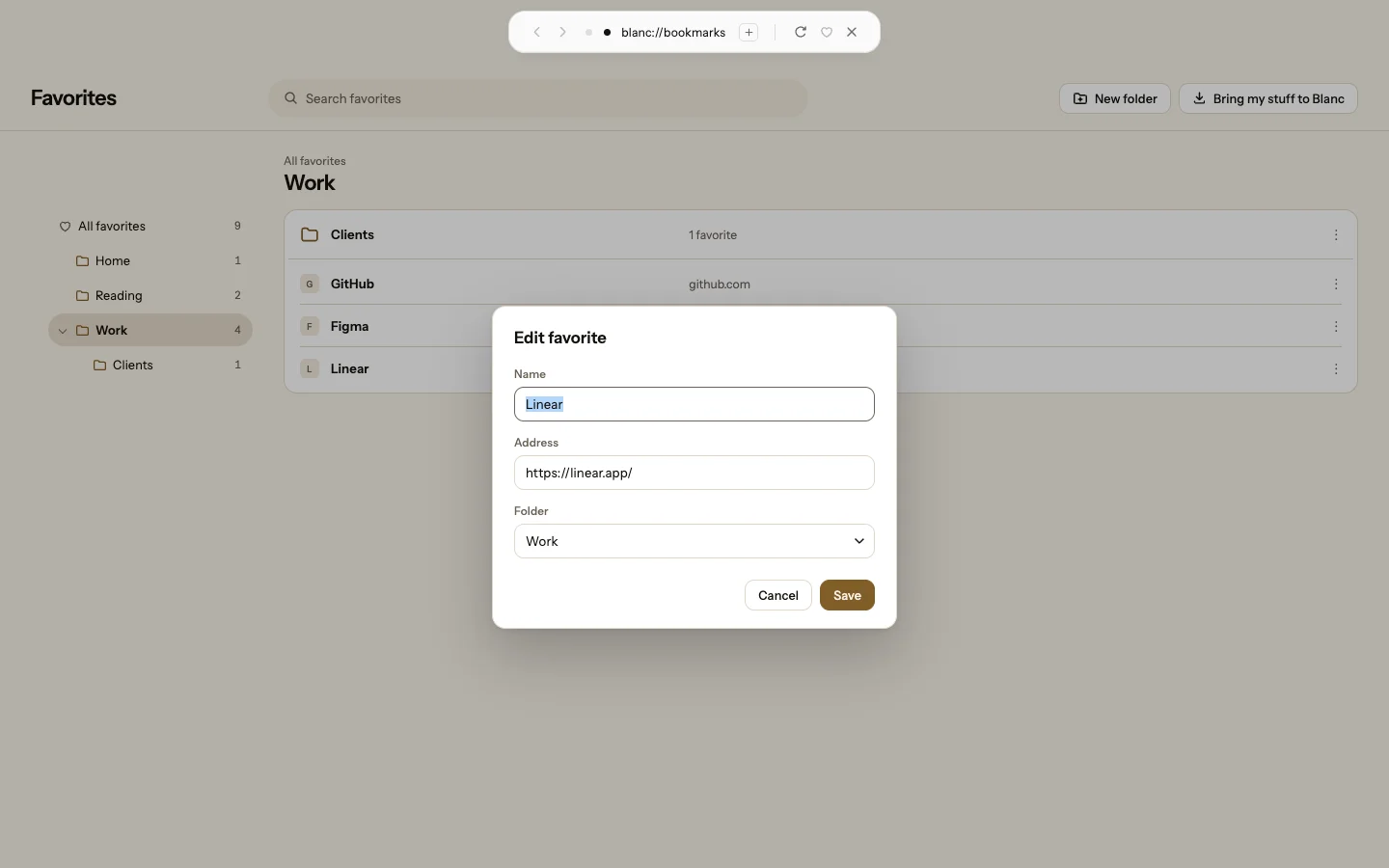
Favorites gets a page of its own
Favorites now opens as a full page in a tab, with your folders on the left. Every favorite has a ⋮ menu to open, pin, move or remove it, and Edit… changes its name, address and folder. A pinned favorite stays pinned.
- Press ⌥⌘B, or Ctrl+Shift+O on Windows and Linux.
- Click ⋮ beside a favorite, then Edit…
Recently · Blanc 1.50 · November 17
Folders inside folders, in your order
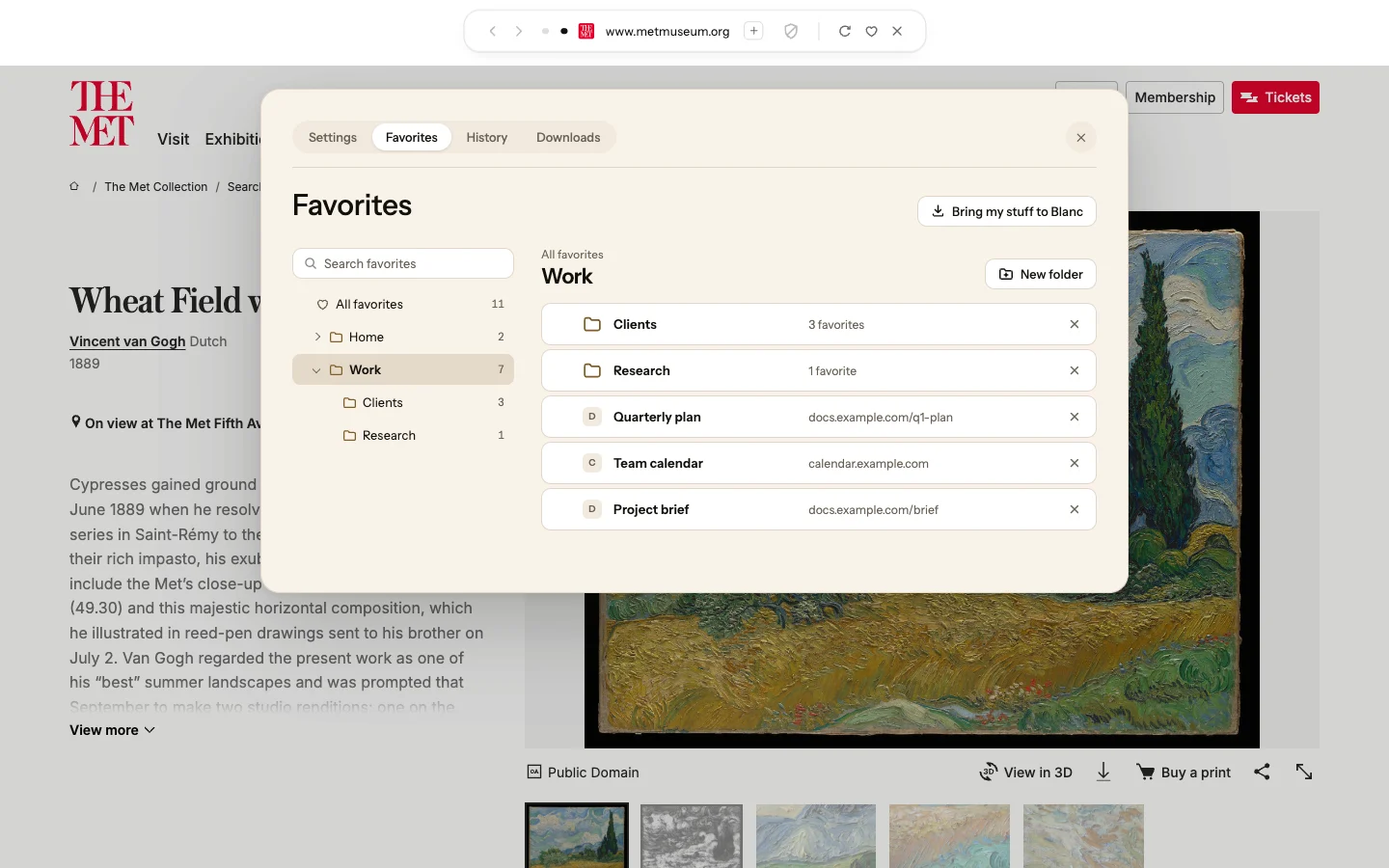
Favorites now opens a manager with your folders in a sidebar. Make folders inside folders, drag favorites and folders where you want them, select several at once, and search every folder. Deleting a folder keeps what was in it. One Bring my stuff to Blanc button imports favorites and open tabs from another browser, keeping its folders and their order.
- Press ⌥⌘B, or Ctrl+Shift+O on Windows and Linux.
- Click New folder, or drag a favorite onto a folder in the sidebar.
Recently · Blanc 1.50 · November 17
Downloads go straight to your Downloads folder
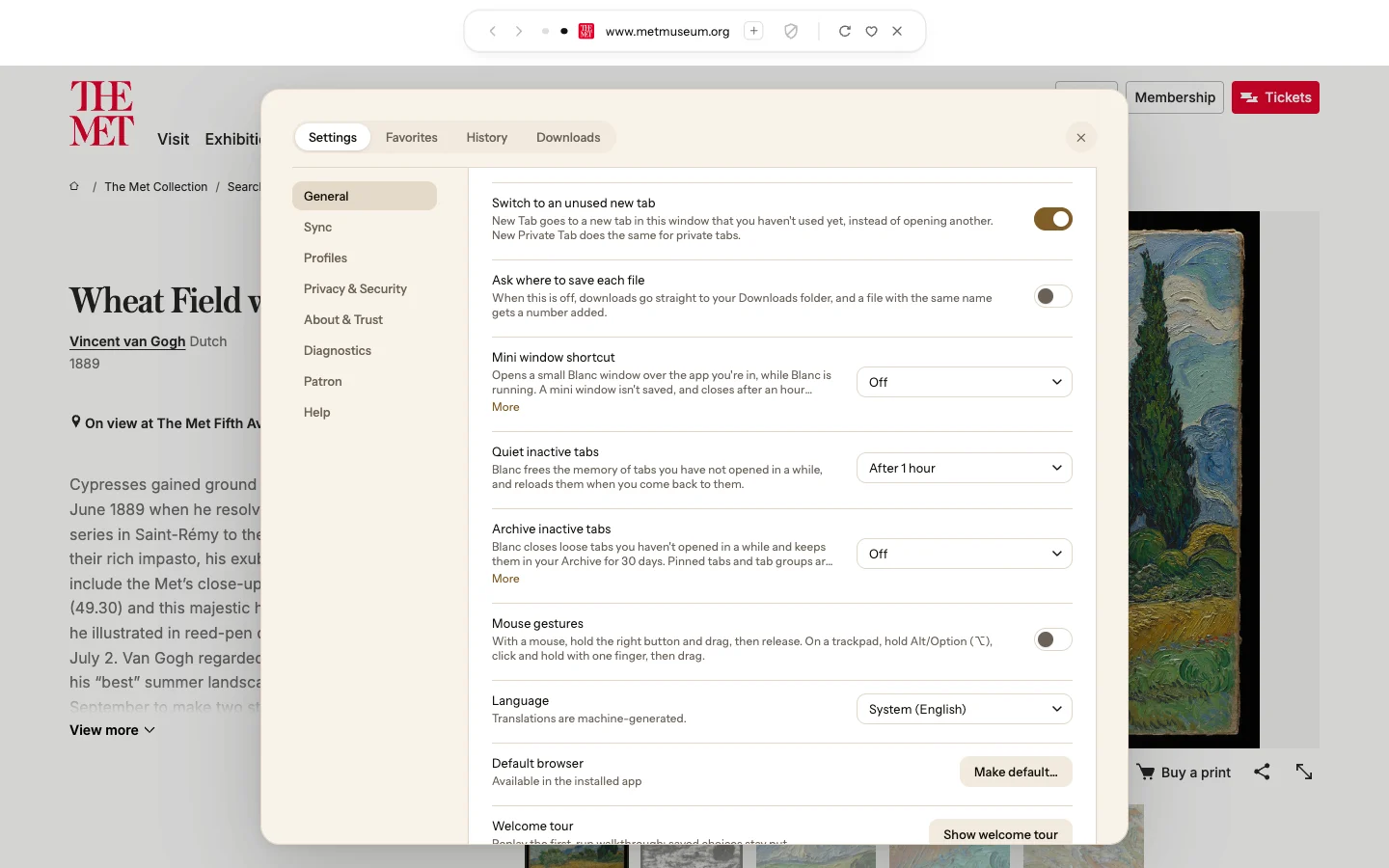
Blanc no longer asks where to save each file you download. It goes to your Downloads folder, and a file with the same name as one already there gets a number added. A download a page starts without your click, and Save Image As…, still ask.
- To be asked every time, open Settings → General.
- Turn on Ask where to save each file.
Want every detail? Read the full changelog on blanc.day